Regenerating Trips
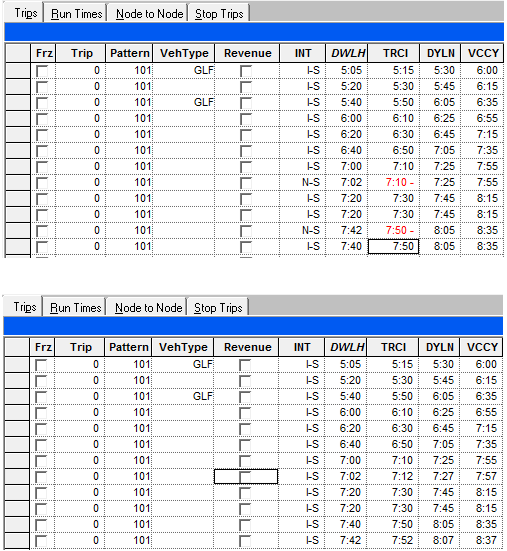
After you have built your trips and then made changes to the run times, some of your trips are marked N (without integrity) in the INT column on the Trips tab.
-
Click the Edit button:
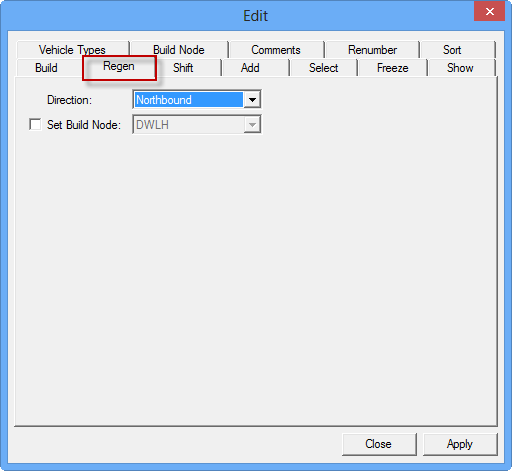
 The Trips Edit dialog box appears.
 -
Select the Regen (Regeneration) tab.
-
Click Close.
The following graphic shows sample results after the Regen feature was applied. Note that the trip times have been slightly adjusted and the trips with N-S (in red text) in the upper graphic are shown with I-S (valid) in the bottom graphic.