Viewing Reliefs
View the relief points assigned to a block at any time during the runcutting process.
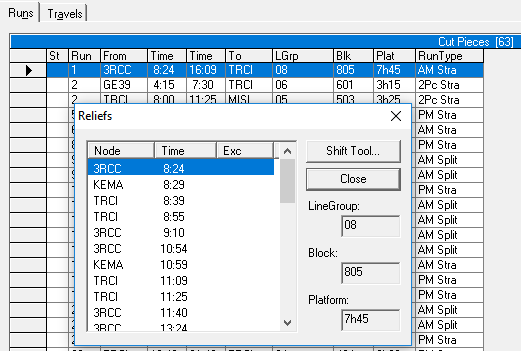
The Reliefs dialog box helps you understand the frequency of reliefs on runs. It shows you the relief points associated with a particular block. Some of the nodes appear with operational signs beside them.
-
Click .
The Reliefs dialog box appears with a list of nodes that have been identified as relief points of the selected blocks. Some of them may appear with operational signs.