
Changing Ranges of Properties
The Ranges feature in the FX Data Integrity Check dialog allows you to set a range of values for properties. By doing so, you can modify some properties quickly to correct data errors. Some properties included in the Ranges dialog may have been set in Properties dialog.
-
On FX Data Integrity Check dialog, click
Ranges.
The Ranges dialog appears.
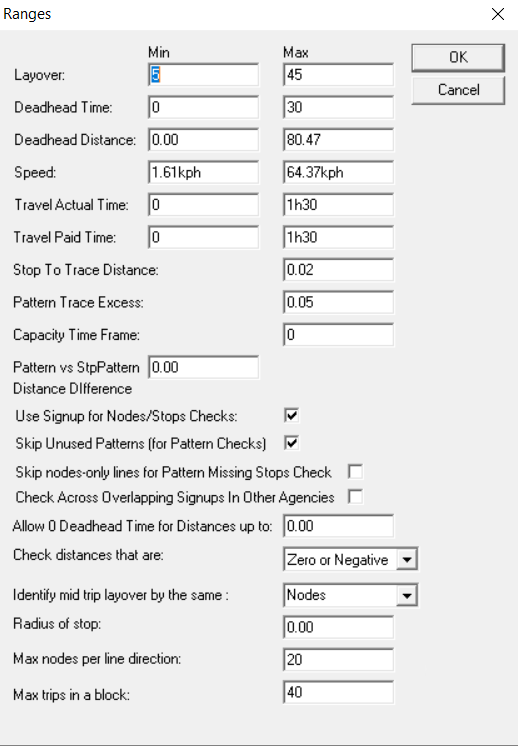
- Enter or select an appropriate option to support checking of data errors.
-
Click OK.
Define the unit of distance (for example, kilometers) in the Properties dialog. Click .