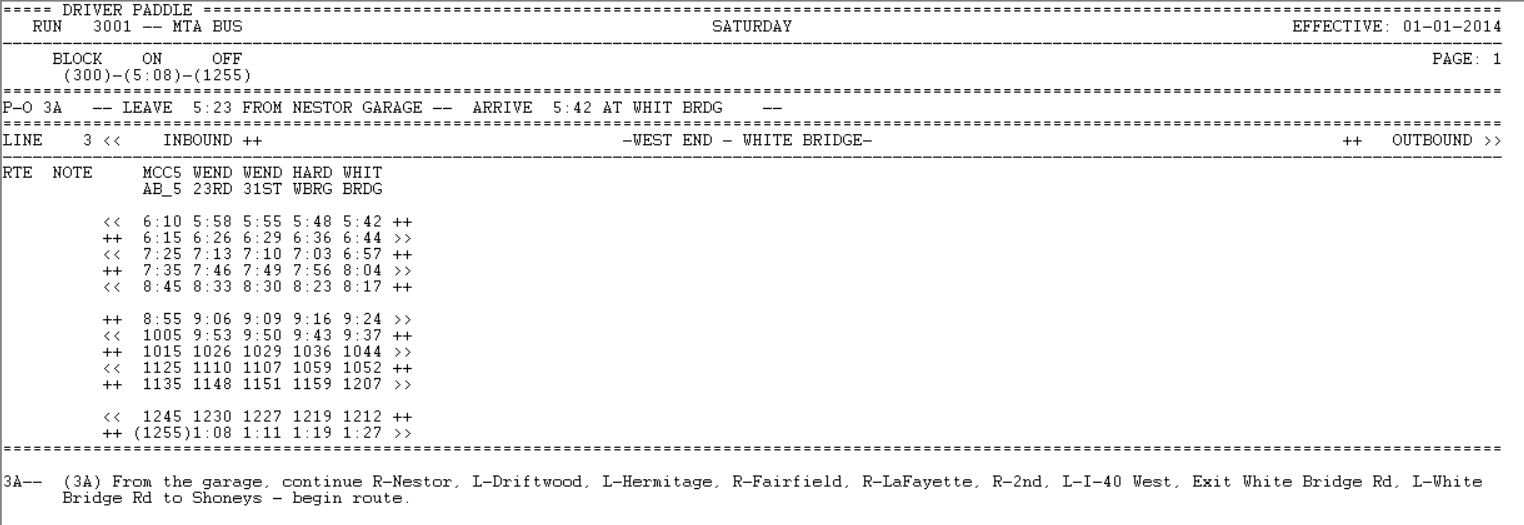
The Driver Paddle provides a list of all the trips for each selected driver run for the specified division, service, and sign-up period
Support for UK style deadheads has been added to the report.
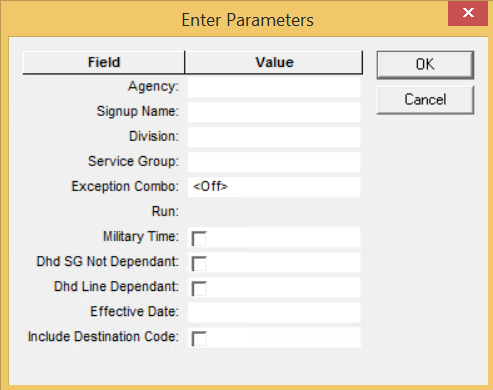
The following graphic shows the Driver Paddle parameters:
Parameter
Description
Agency
Agency Code
Signup Name
Name of Sign-up period
Division
Division Code
Service Group
Service Group Abbreviation
Exception Combo
Selected exception combination. Set to <Off> by default.
Run
Number of the run
Military Time
If check box is selected, the 24-hour clock (midnight to midnight) time format
is used, for example,13:00:00, which is 1:00 PM. in the 12-hour clock
format.
Dhd SG Not Dependant
*If selected, deadheads are included without service groups.
Dhd Line Dependant
*If selected, deadheads are included using lines.
Effective Date
Information related to the period when the report is in effect.
Note: This is a
text field. You can enter any piece of data you want to include in the report, for
example, date or name of user.
Include Destination Code
If selected, the pattern destination code is added to the report. The code is
defined on the Edit tab in the Patterns Edit dialog box.
* If applied, the setting for this parameter should be the same for all your reports.