
Cutting Exception Runs
Exception runs refer to the runs associated with the exception combinations other than what you have selected as the default.
Perform your usual runcutting procedure.
-
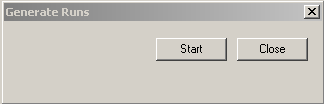
Click . The Generate Runs dialog box appears.
-
Click Start.
The system generates the runs for the other exception combinations in the service group based on the runs with the exception combination set as the default. A progress bar at the bottom of the dialog box shows you the status of the process.
- Click Close.
-
Press F3.
The Set Mode dialog box appears.
-
From the Exception Combo drop-down list, select an exception
combination that you want to view.
Depending on the data, there may be some uncut work remaining.
- To place uncut pieces into the desired runs, use manual runcutting.
-
Click . The Update Costing dialog box appears.
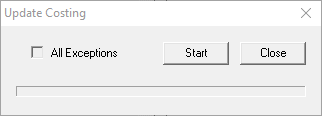
- Optional: To apply all exceptions, select the All Exceptions check box.
- Click Start.
-
After the progress bar reaches the end of the line, click
Close.
Upon completion of the update, the system will have created a set of runs based on the Default Run Exception for each exception combination assigned to the selected Service Group.
- To check for errors, open the log file, which may include the reasons for the errors.