
Checking Lines of Stops
The List Lines option on the Select tab allows you to check the lines to which a bus stop is associated.
-
After finding a stop, select the List Lines check box and click
Display.
The Line Passing Stop dialog box appears with a list of the lines to which the stop belongs.
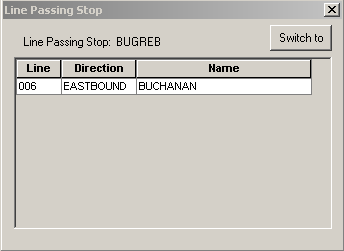
- To display the stops of another line on the Select tab, click any field of the line you want in the Line Passing Stop dialog box and click Switch to.
The By Line option on the Select tab is automatically selected (if not previously selected) and the line that you selected in the Line Passing Stop dialog box appears in the By Line field. The stops associated with the line appear in the grid.