
Viewing All Lines on the Map
You can choose to have all lines displayed on the map.
-
Perform one of the following steps:
- Click (or press F9).
- Click the Route Wizard button:

The Route Wizard appears. The following graphic shows the list of lines (routes) on the grid with the colors specified for each one.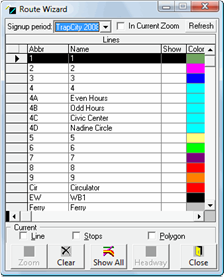
-
Click the Show All button:
 All lines with traces are shown on the map.