Viewing Segment Name Information
Segment name information is linked to a segment through a name identifier.
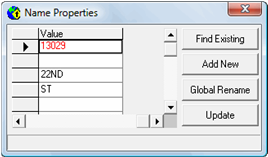
Segment name information includes the following fields:
- namId - Name identifier which links name information to segments
- dirPre - Direction prefix
- feaNam - Feature name
- feaTyp - Feature type
- dirSuf - Direction suffix. Valid values for the suffix are N, S, W, E, NW, NE, SW, SE and EX
-
Click , or click the Properties button:
 The Properties dialog box shows information for the selected segment.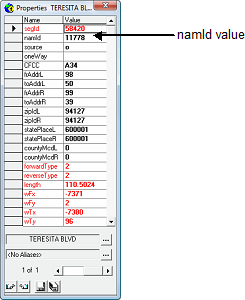
-
Click the namId value, and then click the arrow in the
namID value field.
The Name Properties dialog box shows segment name information.