Trip Summary Report
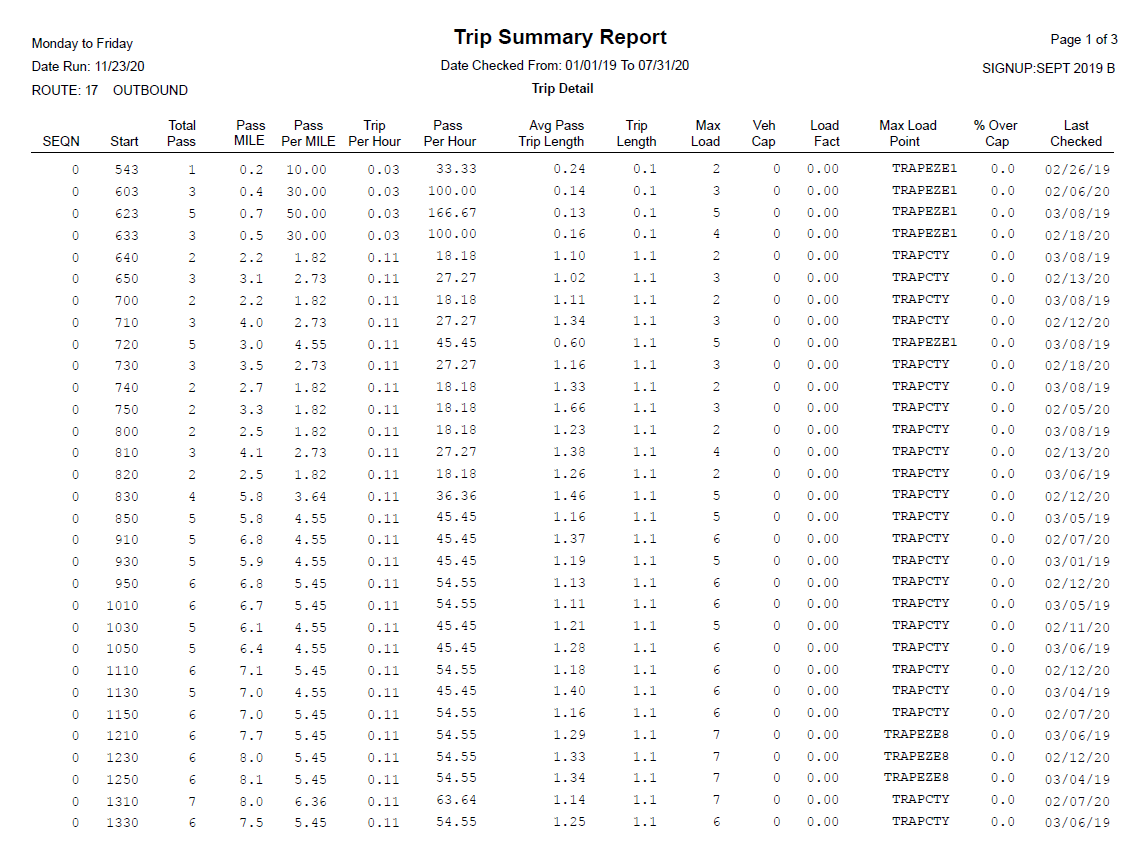
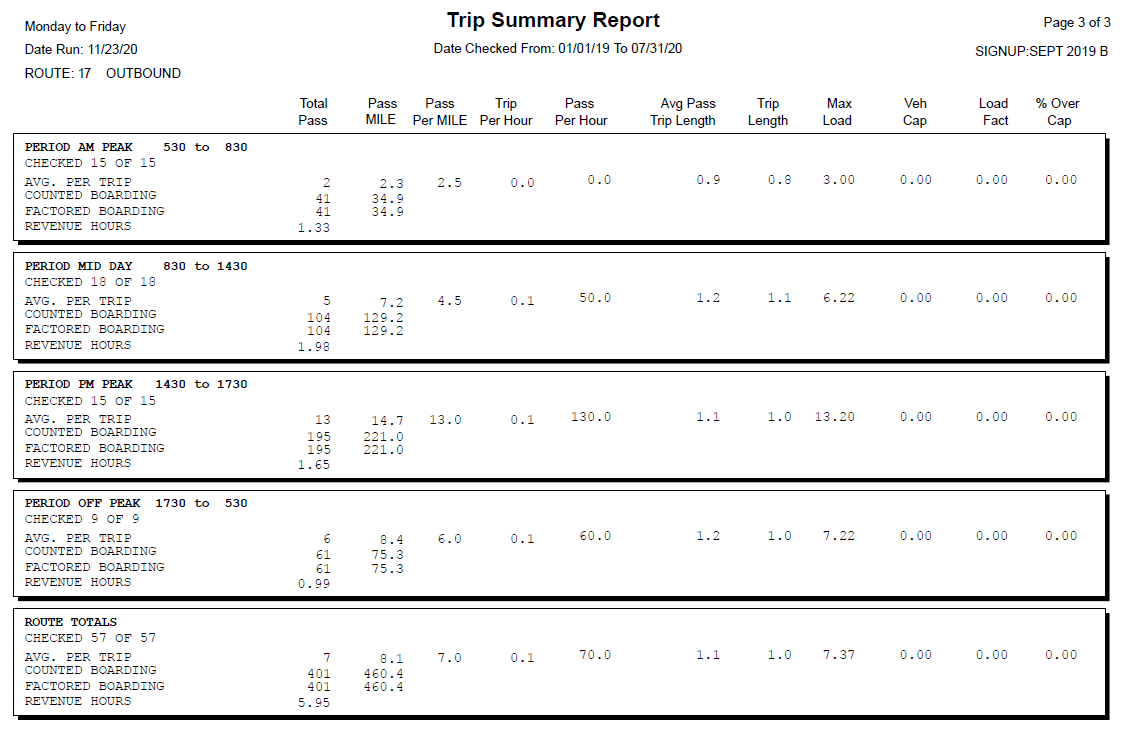
The Trip Summary report provides information such as passenger activity, vehicle capacity and passenger miles for each trip on a route. There are two formats that are generated simultaneously in the same report.
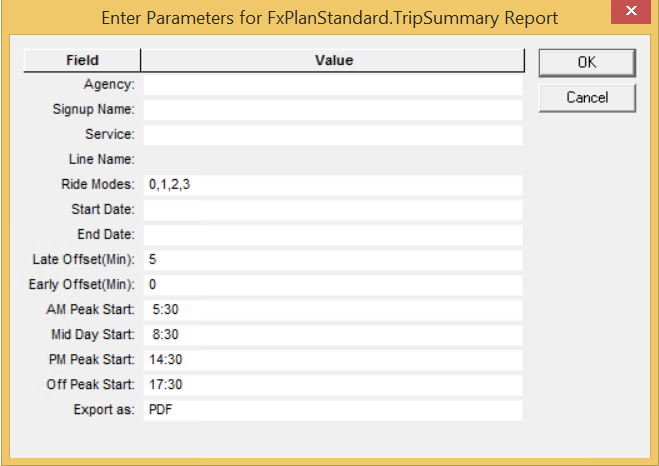
The following graphic shows the parameters of the report:
| Parameter | Description/Options to be selected |
|---|---|
| Agency | (If applicable) Some transit organizations that offer continuous transit service across several geographical areas consist of several units identified as agencies. For example, these agencies may be categorized by transportation mode.For example, these agencies may be categorized by transportation mode. |
| Signup Name | Sign-up period |
| Service |
Only the Service abbreviations and Service names of the selected sign-up period are shown in the list. |
|
Line Name |
Only the Line IDs and Line names of the selected sign-up period are shown in the list. This is enabled after you select the Signup Name. |
| Ride Modes | Sample options on methods used to perform checks: Riding Survey Sheet, Riding Handheld, Automated, Random. The result of your selections are shown as numbers in the field. |
| Start Date |
Start of the date range covered in the report. |
| End Date | End of the date range covered in the report. |
| Late Offset (Min) | The default is ± 5 minutes. |
| Early Offset (Min) | The default is 0 minutes. |
|
AM Peak Start |
Time when the PLAN AM Peak period starts. (When Peak periods are added to the Service Groups ancillary data, users have an option of specifying where they would be used: FX or PLAN.) |
|
Mid Day Start |
Time when the PLAN Mid Day Peak period starts. |
| PM Peak Start |
Time when the PLAN PM Peak period starts. |
| Off Peak Start | Time when the Off Peak period starts. |
| Export as |
Report format options are: PDF, CSV, Excel (spreadsheet), RTF, and Word (word processor). Set to PDF by default. |
Sample Trip Summary Report