
Viewing On Time Performance of Trips by Stops
With the On Time Performance Options feature, you can check performance based on the depart time at the first stop of the trip, arrive time at midstops of the trip, and arrive time at the last stop of the trip.
-
Click .
The Ontime Performance Options dialog box appears.
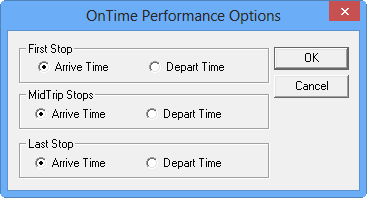
By default, the Arrive Time option is selected for each type of stop.