
Editing Merged User Records
You can add or remove users from user groups when editing merged group records..
- In the Merge User Groups dialog, select the user group that you want to edit.
-
Click Edit.
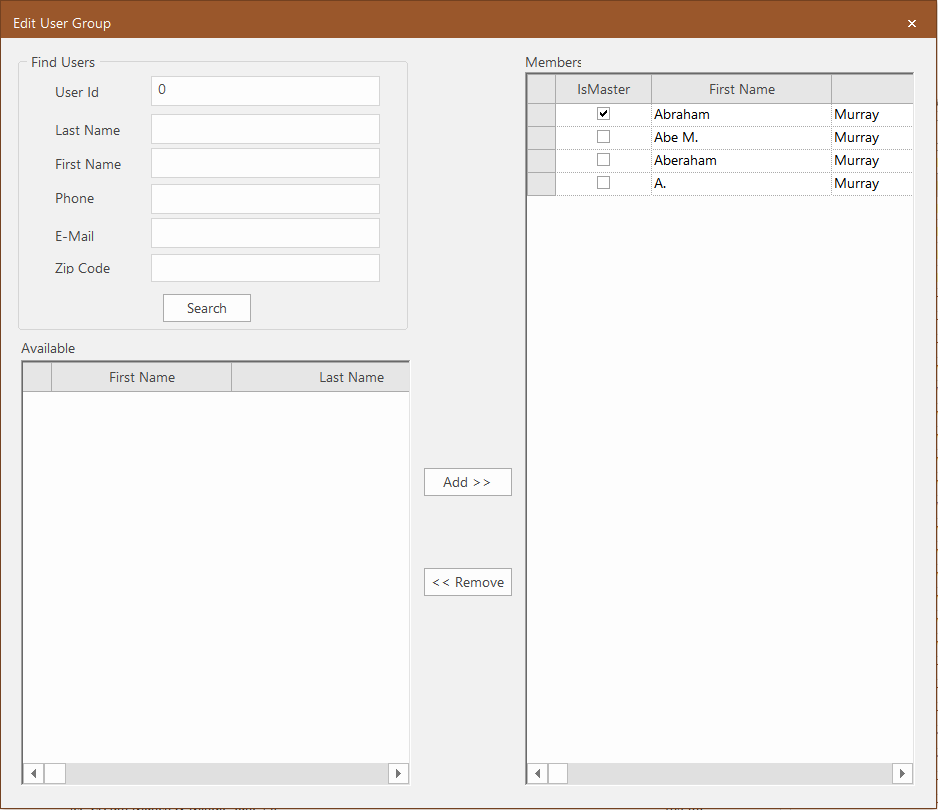
The Edit User Group appears.
-
Perform any of the following tasks:
-
Change the master record - In the Members pane, select the IsMaster checkbox of the record that you want to apply as the master record.
-
Add a registered user
- Fill in any of the fields in the Find User frame, and then click Search. Results, if any, are shown in the Available pane.
- Select the user record you want to add to the user group, and click Add .
-
Remove invalid user records
- In the Members pane, click the record you want to remove.
- Click Remove. The selected record is moved to the Available pane.
-