The Merge Users function in the
RegisteredUsers ancillary data screen consolidates multiple user records
that have been grouped in the Customer dialog.
Grouping user records refers to combining the records that were created for the same
user into one.
After a call taker or you have “grouped” the records in the Customer dialog, you can proceed to merge the records in the Registered Users screen.
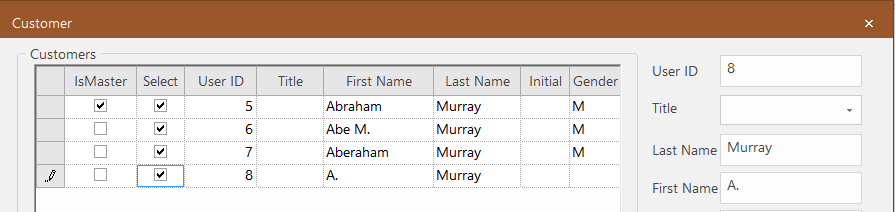
The following example shows records that have been selected and grouped in the Customer dialog. Note that the record for one user, who appears to have several records, has been marked
as the master record.
In the RegisteredUsers ancillary data screen, click the
Merge Users button:
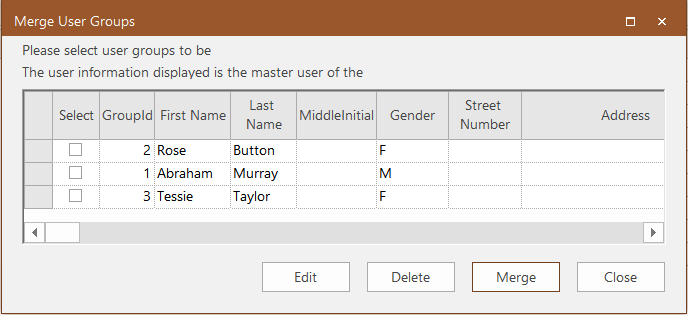
The Merge User Groups dialog appears.
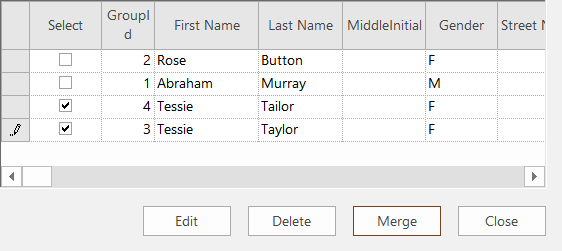
Select the grouped user records that you want to merge.
Click Merge.
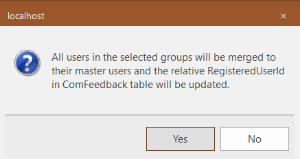
A message appears stating that all user records in the selected groups will be
merged with their respective master user record and their Registered User ID updated.

 The Merge User Groups dialog appears.