
Adding Extra Fields
You can add extra fields to the COM Representative and COM Investigator screens.
-
Click .
The Screen Information screen appears.
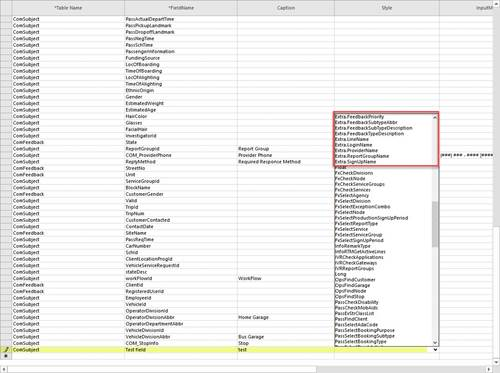
- In the Table Name list, click ComFeedback or ComSubject.
- In the Field Name, type the name of the new extra field.
- In the Caption field, type the label of the new extra field.
-
In the Style list, choose the appropriate style that begins with
Extra as shown in the following graphic:
-
Click the Save button:
