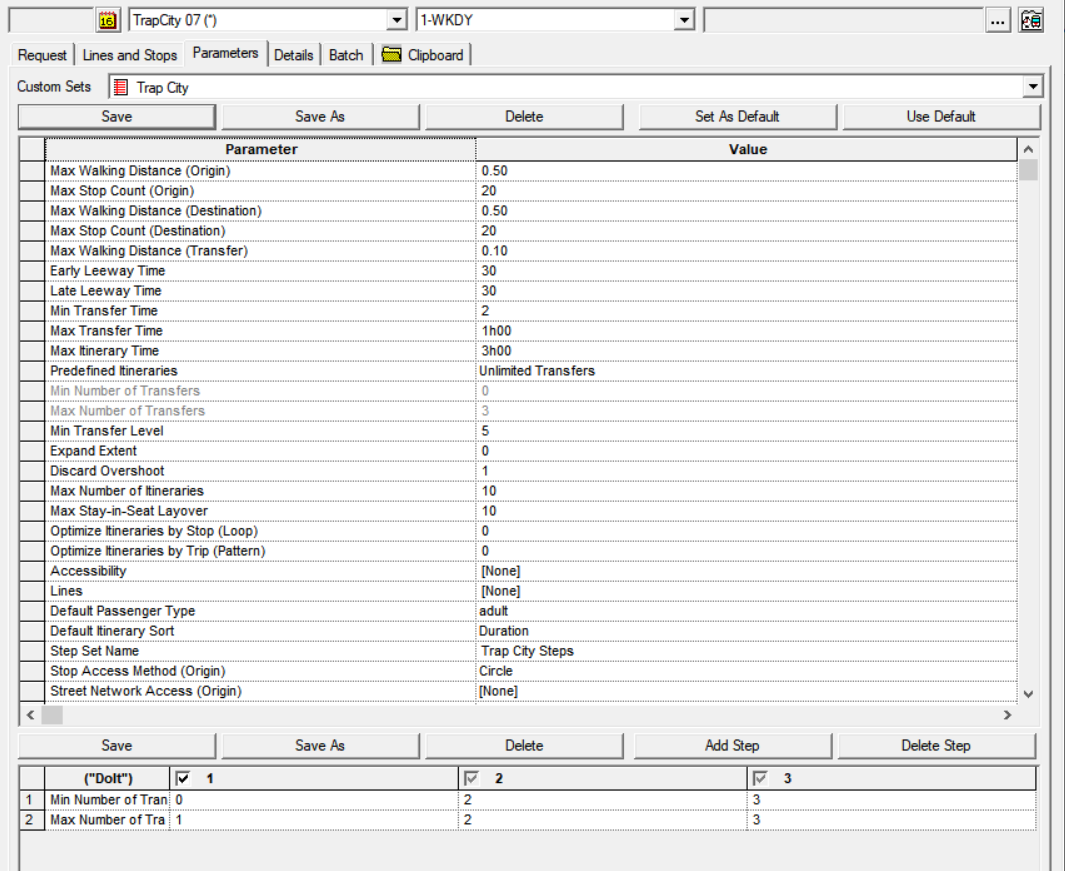
When you execute an itinerary search, the results are governed by a set of parameters
recorded on the Parameters tab of the Itinerary Planning screen.
The parameters define the boundaries of the system response to your requests. Values of
properties defined as the default are linked to the settings you set as the default on the
Parameters tab. A change on the tab updates the properties while a change in the properties
updates the Parameters tab.
On the Parameters tab, if any of the parameters appear shaded, it means they are listed in
the step set at the bottom of the Parameters tab.