
Adding Bookmarks
Adding bookmarks lets you save snapshots of reports in their current state.
-
In the Report toolbar, select .
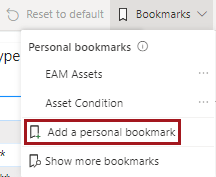
-
Enter a name for the bookmark.
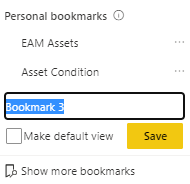
- If you want the report to be shown in its current state when you open it the next time, select Make default view.
- Select Save.