
About EAM Checklists
The EAM Checklists feature allows drivers to do pre and post-trip checklist inspections based on checklists that are sent from the EAM system.
Attention:
The EAM Checklist integration may require
additional EAM licensing, contact your Trapeze Representative for more
information.
DriverMate has integrated with the EAM APIs for Electronic Vehicle Inspection Reporting (eVIR).
For the Pre-trip inspections, DriverMate will get an eVIR Checklist of vehicle issues
categorized by vehicle component from the Trapeze EAM system, then drivers answer the
questions of the inspection in DriverMate, and submit the results back to EAM system.
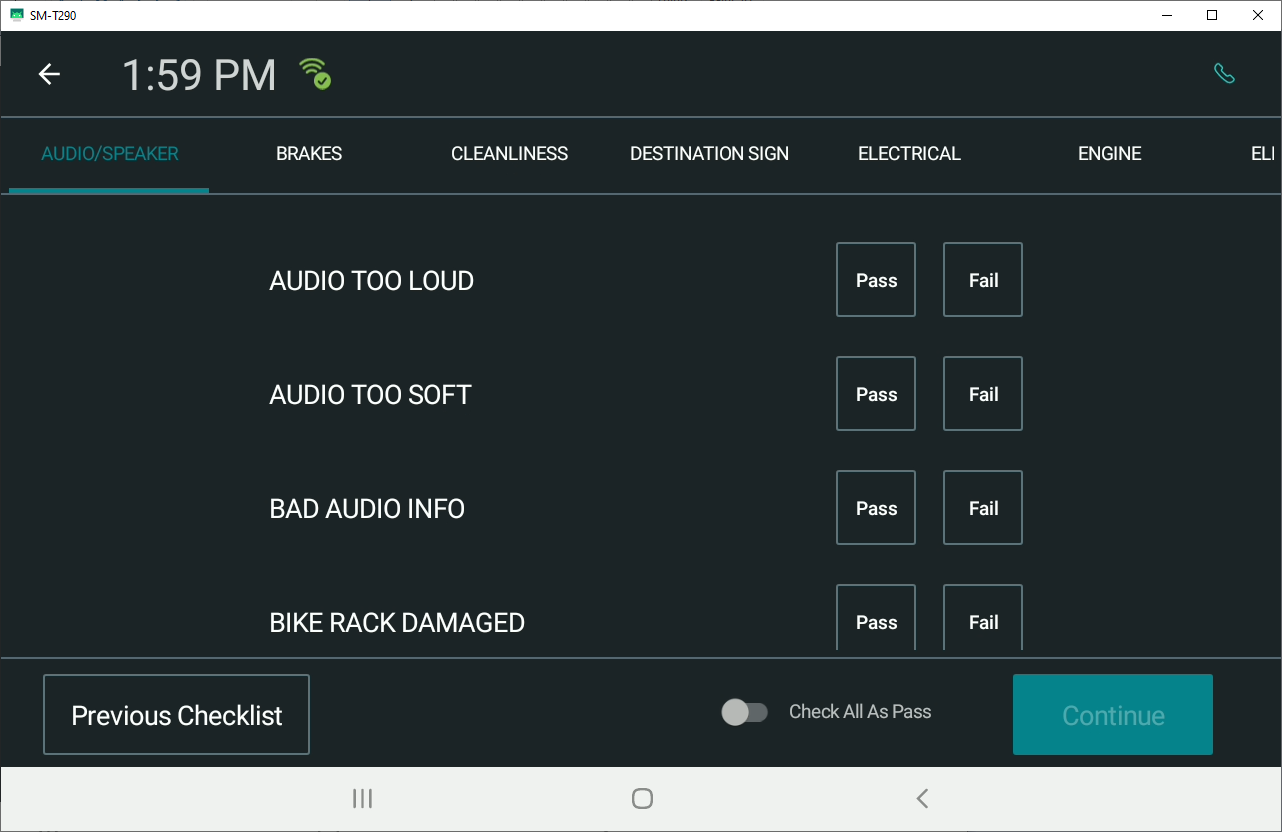
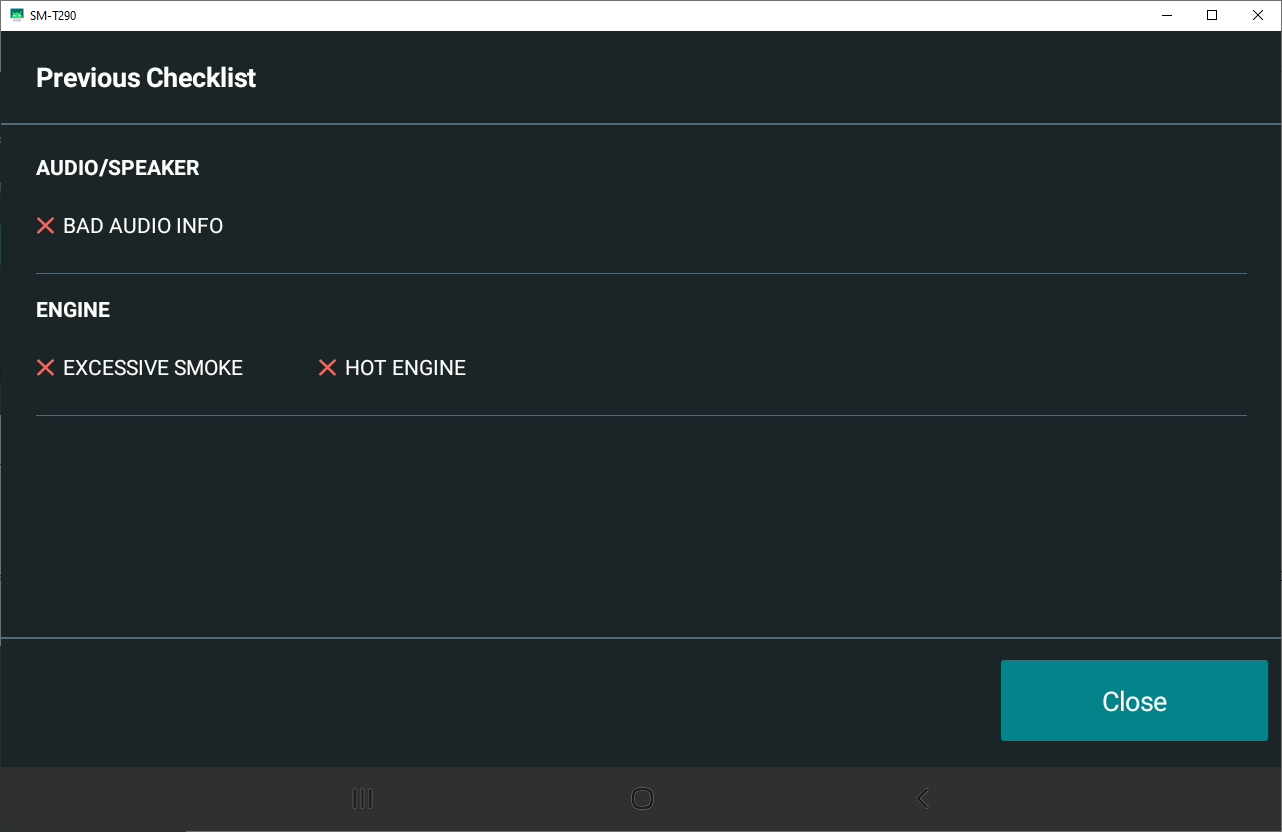
To view a previous checklist, selecting the Previous Checklist
button to send a request to the EAM system, where the result of the last inspection
checklist will appear.
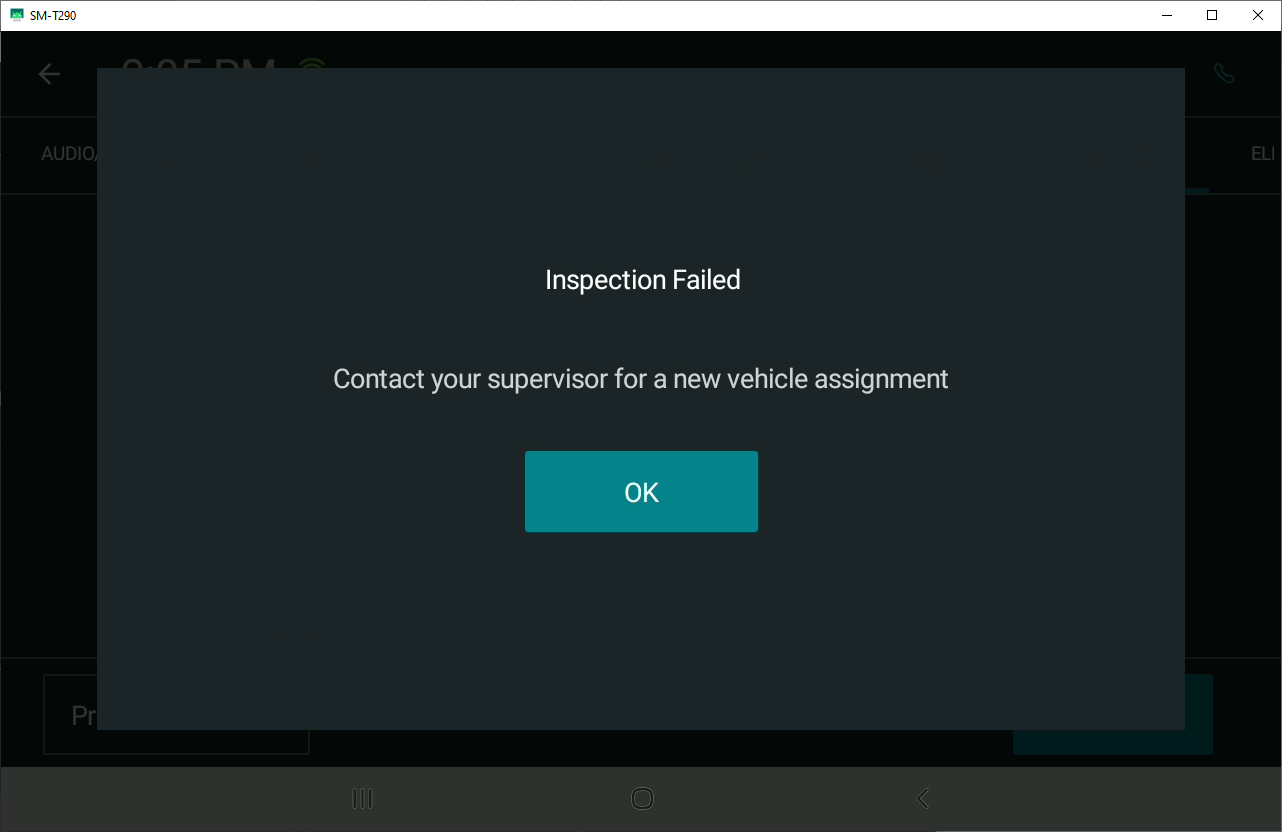
If the inspection fails, then an Inspection Failed pop-up window
will appear and the driver cannot login. Otherwise, DriverMate will continue the process
of login and download the trips from MdtServer.
For Post-trip inspections, drivers are required to finish all trips and verify the odometer reading first, then DriverMate will display the post-trip inspection checklist and allow drivers to answer again. Drivers submit the results to the EAM system and DriverMate automatically logs-off once the post-trip inspection is completed.