
Opening EZ-Wallet from Client Registration
In the Trapeze4 Workstation, you can launch EZ-Wallet directly from a client record.
Before you begin
Procedure
- Search for and select the client's record.
- Click the Detail tab.
-
In the Fare frame, click EZ-Wallet.
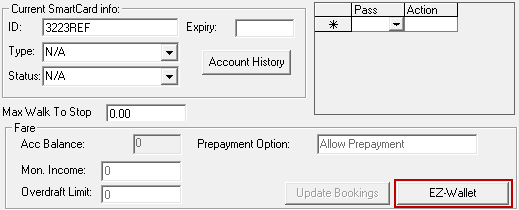
EZ-Wallet appears.