
Removing Saved Bookmarks
Bookmarks can be removed manually when needed.
About this task
Procedure
-
Click .
The Manage Bookmarks dialog box appears, listing all bookmarks that have been saved.
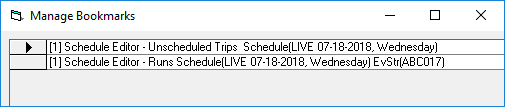
- Select the row of the bookmark that you want to remove.
-
Press Delete on the keyboard.
The bookmark is removed from the Manage Bookmarks dialog box and the Bookmarks menu.
- Click the X in the upper-left corner of the Manage Bookmarks dialog box to close the window.