
Creating Projects
Prospector allows you to create a project, which is an investigation into past supply and demand patterns.
About this task
You must define the scope of your analysis using the fields and options in the Info step.
Procedure
-
In Manage Prospector, click New.
The Info step opens with several fields and options to enable you to define the scope of the runcutting project.
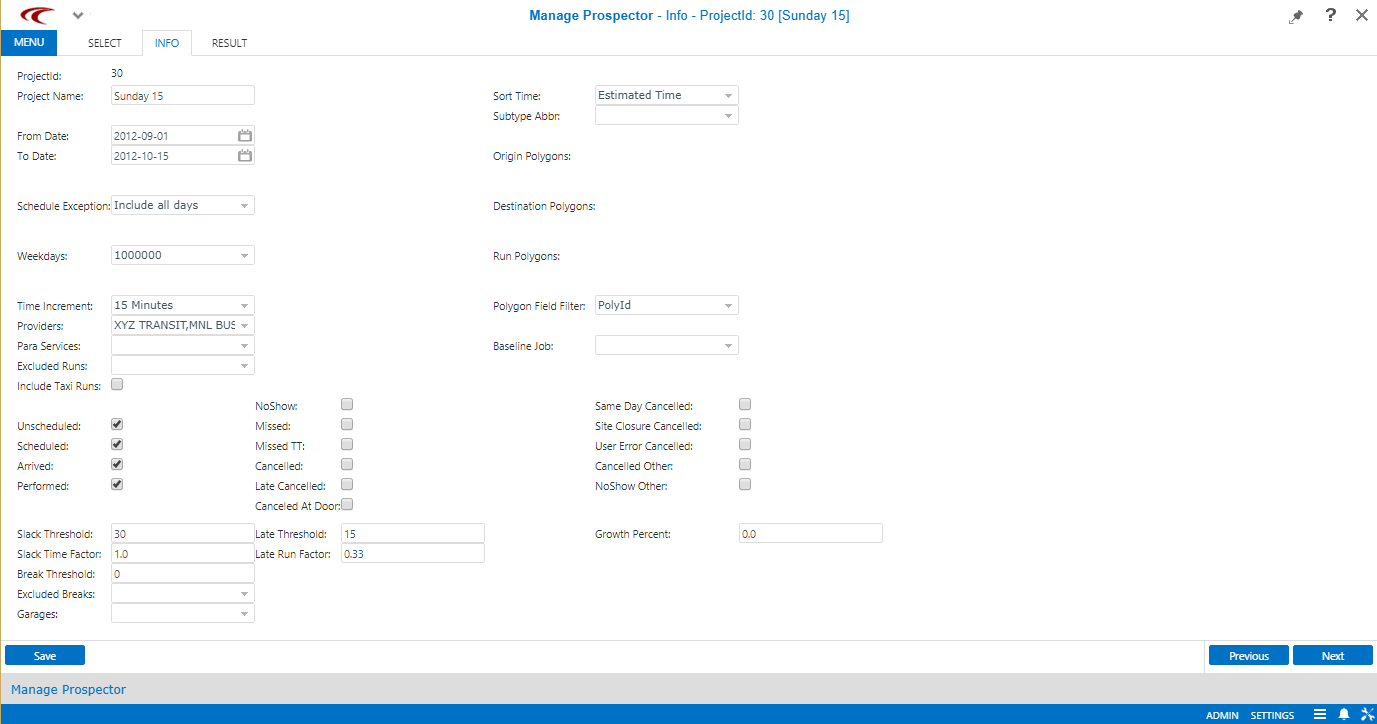
- Fill in or select the appropriate fields and options.
-
Click Next.
The Result step opens.
A message may appear indicating that the results have not yet been calculated and asks if they should be calculated. To proceed, click Calculate.
- Click Save.
Results
- The total number of qualified bookings is calculated for each service date included in the analysis.
- The total number of qualified bookings is calculated by time period for each service
date included in the analysis.
The hourly counts are determined by summing the client pick-ups and drop-offs falling within the time period and dividing the result by two.
- Average trip counts for each time period are calculated by summing the counts for all
days in the time period and dividing by the number of qualifying days in the period.
These averages are stored in the database.