About Rostering
After runcuts have been produced for all the days of the week that you operate, the resulting runs can be assembled into weekly work.
This process consists of the following steps:
All of these activities are performed in Manage Runcutter Weekly
Plans. - Collect all of the individual days into a single weekly plan.
- Name the runs to be consistent across days and with the prior bid period, based on start and end times.
- Assign work (roster) numbers to daily runs to combine them into biddable weekly packages.
- Assign drivers as they pick the work assignments.
- Import the resulting runs back into PASS.
In this screen, you are able to:
- Collect and visualize seven daily runcuts.
- Edit start times, end times, and run names so that runs will have common times across multiple days of the week whenever possible.
- Import the resulting common daily runs into PASS as a single master pararun with a date interval for all days on which it is effective.
- Assemble weekly driver work assignments by linking runs from different days into packages of, for example, up to 40 hours for full-time assignments.
- Assign drivers to weekly work assignments.
- Import driver assignments into PASS.
In order to support the effort that goes into preparing a pick, a Plan needs to be created in the same way that a Project or a Job is created.
By creating a Plan:
-
All work on a pick can be named, saved, and recalled as needed.
-
Multiple picks or multiple provider-specific Plans in the same pick can be maintained simultaneously.
-
Old Plans can be deleted.
-
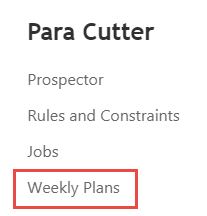
All of the described functionality is accessed from the Weekly Plans option in the ParaCutter menu.