
Importing Runs into PASS
Once the runs have all been edited and matched to produce runs of the same name, start time, and end time throughout the week, as appropriate, you are ready to import these runs back into PASS.
Procedure
-
After completing all desired run modifications, additions, and deletions on the
Build Weeks step, do one of the following:
- Click Next.
- Click the Import Plan step button:

The Import Plan step appears.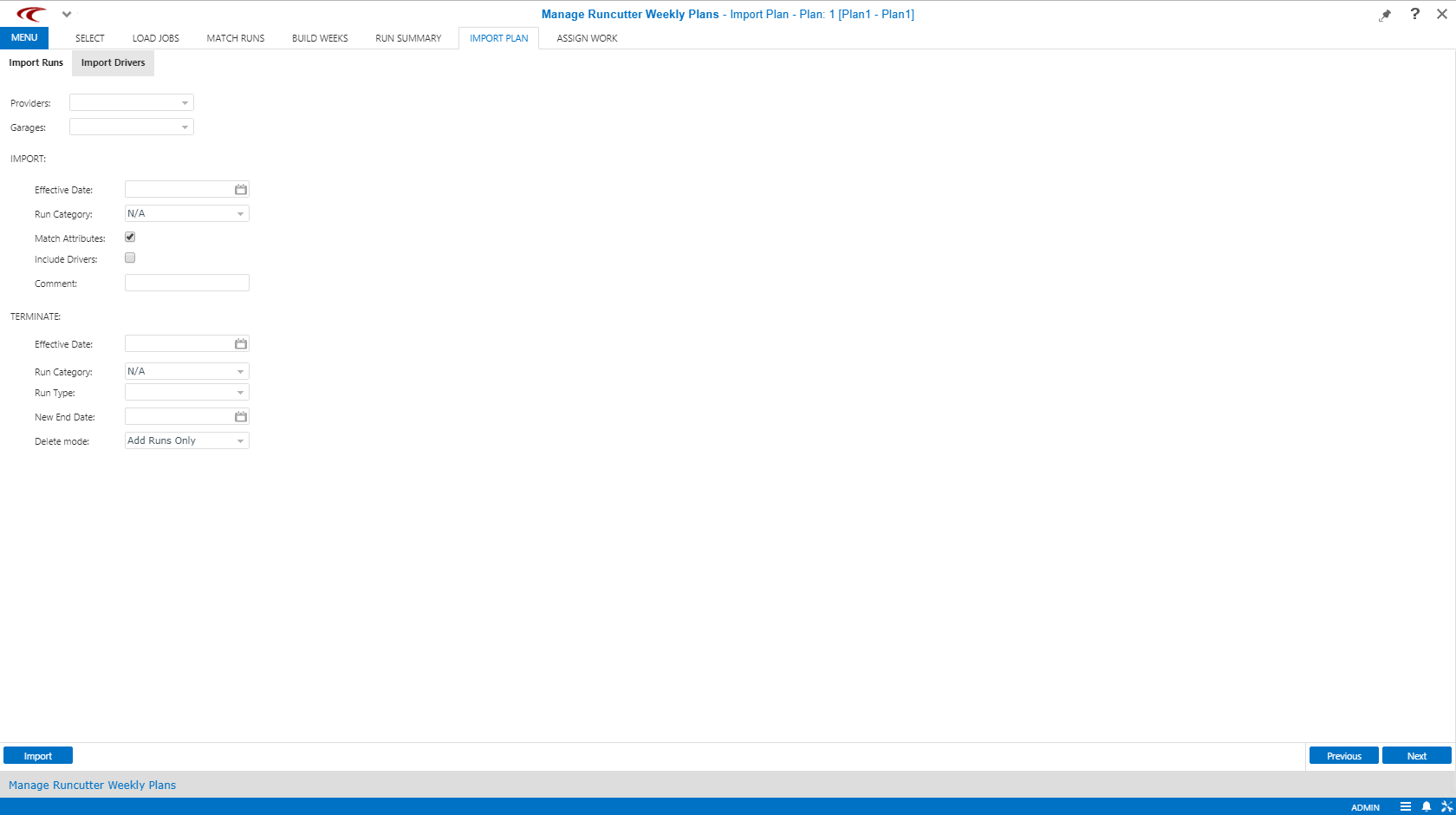
-
Leave the Providers list blank.
Runs created by ParaCutter do not have providers assigned to them until they are imported into PASS, so selecting a provider will result in no runs being imported.
-
In the Garages list, select the garages associated with the run
solutions.
This ensures that only the runs associated with the selected garages are imported or removed. No runs are imported unless at least one garage is selected.
In most cases, use garage rather than provider to limit the runs affected. Runs imported from jobs into weekly plans do not have an assigned provider. If a provider is selected, no runs will qualify for import.
-
Under IMPORT, fill in the following fields:
- Effective Date
-
Date to be applied as the From Date for the active weekly rule assigned to the runs that are created.
- Run Category
- Run category assigned to all runs that are imported. This can be used to define the pick period to which the new runs will apply.
- Optional:
To assign attributes to the new ParaCutter run, select the Match
Attributes check box.
This is selected by default.
- Optional: To include drivers to the new ParaCutter run, select the Include Drivers check box.
- Optional: Type a date interval rule Comment to be added to imported runs.
-
Under TERMINATE, make the selections needed to identify whether
to discontinue or delete existing PASS runs, and which runs will be affected.
Trapeze recommends discontinuing existing runs, rather than deleting them.
- Click Import.