
Producing a Runcut
Runcuts are performed in Manage Runcutter Jobs.
Procedure
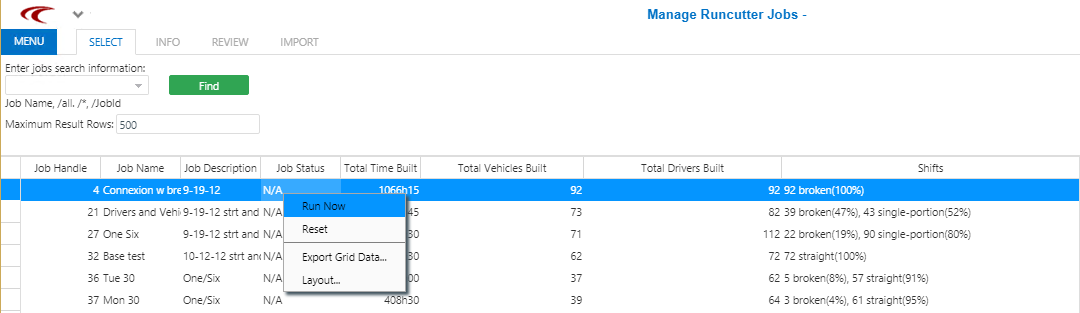
- In the Select step, click Find.
- In the list of jobs, select a job.
-
Right-click and click Run Now.
Results
Usually, if a runcut fails, a message advises you of the error. In this case, right-click and click Reset. You may need to wait a few moments or reset twice until the system refreshes, then click Run Now again.
A reset should also be done if the screen indicates that the runcut failed for any reason. Then,
the job can be run again. The following graphic shows a grey progress bar at the top
indicating a runcut in progress.
