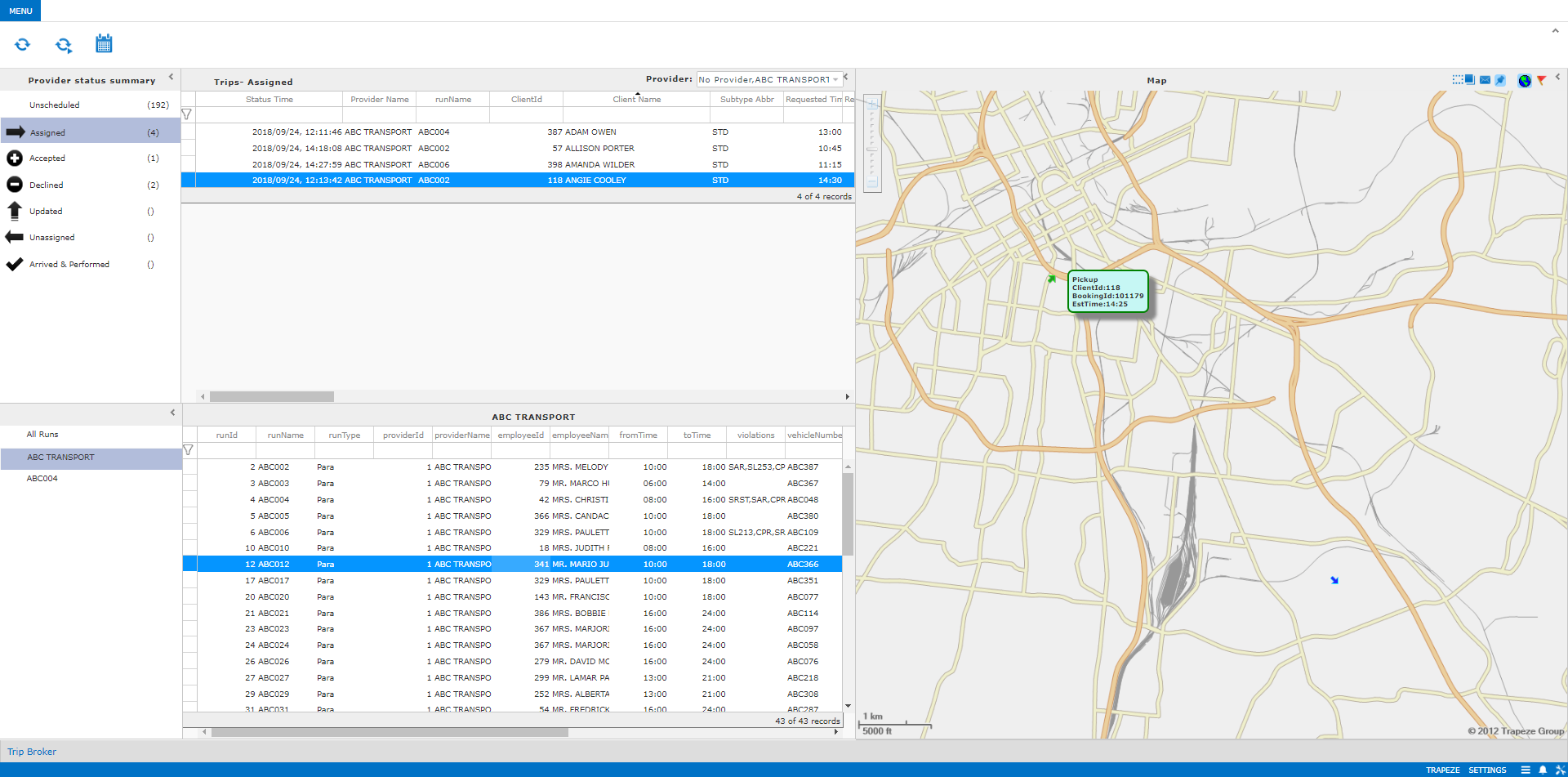
Viewing Trip Information on the Map
Pick-up and drop-off location information can be shown on a map within Trip Broker.
Before you begin
A system administrator
must have selected the following context property:
If map information is not available after selecting this property, contact Customer Care. Additional setup may be required.
About this task
Procedure
- Select any Providers for which to view trips on the map.
- In the Provider status summary pane, click a provider status.
-
In the Trips pane, select a trip to be viewed on the
map.
The pick-up point is denoted with a green arrow and the drop-off point is denoted with a blue arrow.Pause the cursor on the pick-up or drop-off point to see the Client ID, Booking ID, and Estimated Time.