
Attribute Types
Attribute Types represent characteristics of bus stops, other locations, or amenities. For example, attribute types can include color, condition, manufacturer, or direction.
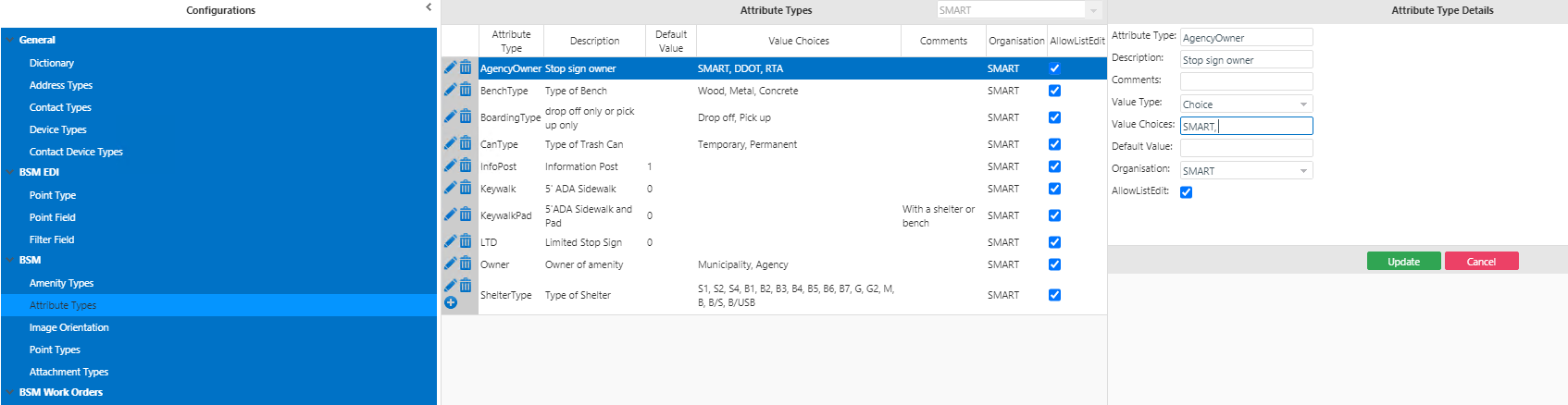
| Field | Description |
|---|---|
| Attribute Type | Name of the attribute type, for example, Color. |
| Description | Information on the attribute type. |
| Comments | Any additional information on the attribute type. |
| Value Type | Data type of the attribute, for example, Choice, Date, and String. |
| Value Choices | (If Choice is the Value Type) Comma-separated list of possible values for the attribute, for example, blue, green, and red. |
| Default Value | Value set as the default for the attribute type, for example, Blue. |
| Organization | Agency for whom the attribute type is added. |
| AllowListEdit | If selected, the attribute can be edited on the Points screen through the Batch Edit screen. |