
Adding Bus Stop Records
You can add information about the bus stop such as location, bus stop images and documents, and amenities and attributes using the Points screen.
-
Click Points on the Stop Manager
list.
The Points screen appears.
- (If in a multi-agency environment) In the Agency list, select the agency to which you are assigning the bus stop.
-
In the screen toolbar, click the New Point button:
 The Edit Point screen opens with the Point tab open by default.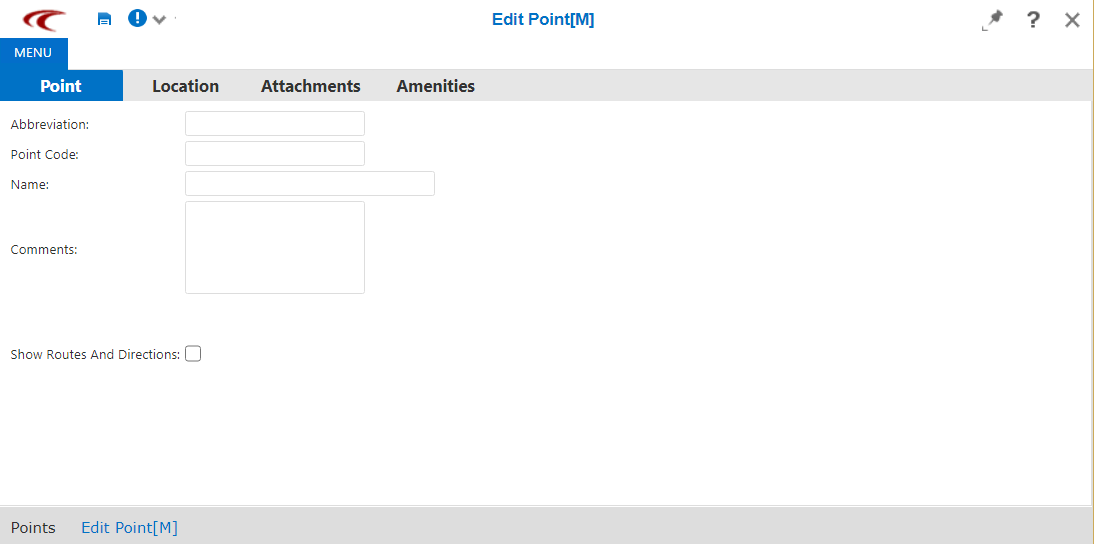
-
On the Point tab, fill in the following fields:
- Abbreviation – An abbreviation that uniquely identifies the bus stop based on your site’s naming convention.
- Point Code – A code for the bus stop based on your site's naming convention.
- Name – A name for the bus stop.
- Comments – Additional information about the bus stop.
- Optional:
To view the routes and their direction that use the stop, select the Show
Routes and Directions check box.
The Signup and Routes fields are displayed.
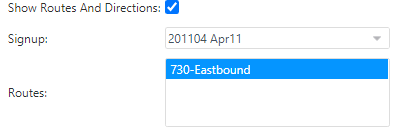
Select the appropriate sign-up period and route.
-
Click the Save Changes button:
 .
.