
Editing Parameters
You can edit the parameters of the SQL reports on the Parameters pane.
- Click the report that you want to edit.
-
Perform one of the following steps:
- On the toolbar of the right pane, click the Edit Parameters
button:

- On the screen toolbar, click the Edit button:

On the Edit Parameters pane, select the parameter in the list and click the Edit button:
The Parameter dialog appears with the fields that apply to the parameters of the selected report.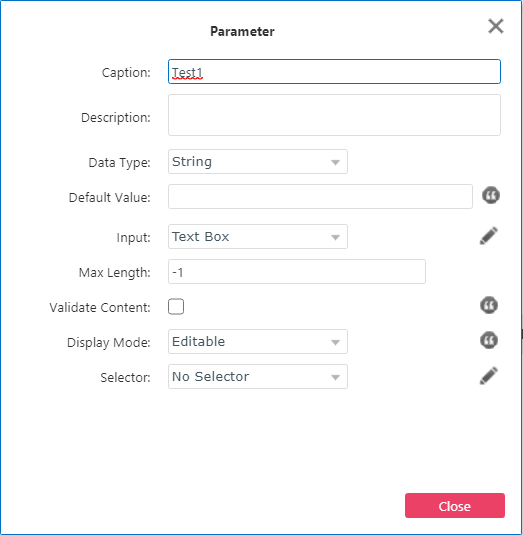
- On the toolbar of the right pane, click the Edit Parameters
button:
- On the Parameters pane, select the parameter in the list and modify the fields in the right pane as needed.
- Click Save.