
Showing GPS Readings on the Map
You can show the current GPS reading on the map in BSM and refresh the map automatically after specified intervals to show the GPS reading as it changes.
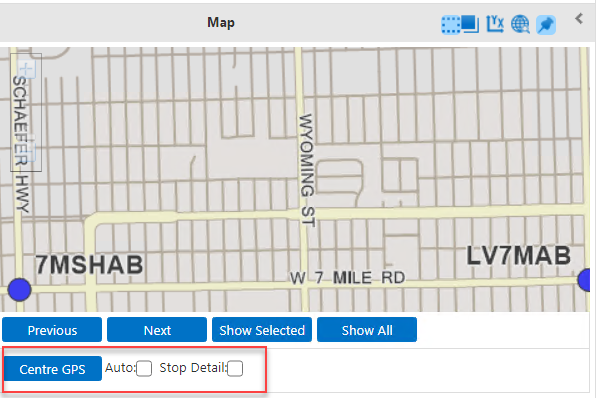
The GPS Info button is shown beside the Stop Detail check box if you have a GPS connection.
-
To show the GPS reading of your current location on the map, click Center
GPS.
If the GPS is not connected or a reading cannot be determined, the following message appears: GPS data is not currently available.
-
To automatically show the GPS reading as it changes, select the
Auto check box.
When troubleshooting, you can view the data streamed from the GPS device connected to BSM. Click GPS Info. The data is shown in another window as shown in the following example:
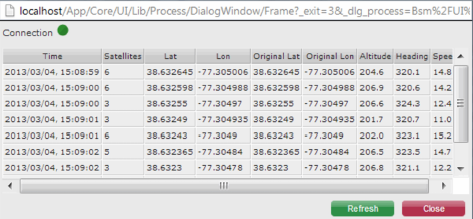 Note: The Connection button is green. If there is no GPS connection, the button is red and the grid is empty.