
Synchronizing BSM Data with External Databases
If BSM is linked to Trapeze FX, you can synchronize Bus Stop Manager data with the data used in FX.
-
Click Synchronization in the Stop Manager
list.
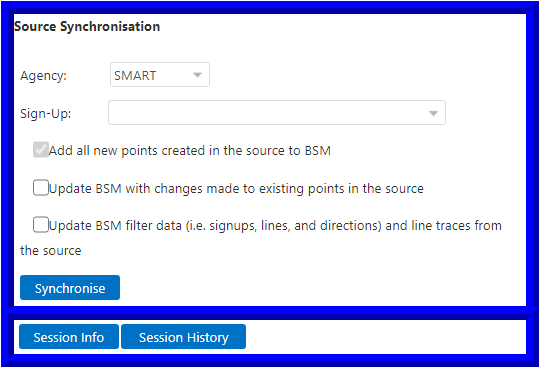
The Synchronization window appears.
-
Select the appropriate data in the following fields:
- Agency
- Sign-Up: Sign-up period
-
Select the data from Trapeze FX that you want to add to the BSM database:
- Add all new points created in the source to BSM
- Update BSM with changes made to existing points in the source
- Update BSM filter data (that is, sign-up periods, lines, and directions) and line traces from the source
-
Click Synchronize.
The Synchronization Status dialog appears. It shows the progress of the synchronization process.
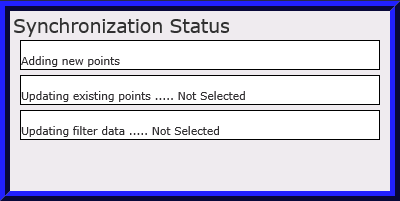
The Status field shows the status of the operation. For example, after the system completes an update, a message such as the following example appears: Update STOP sync computer (1634).
-
Click Done.
The Done button appears in the Synchronization Status dialog after the process is completed.