
Viewing Session History
You can view the history of a session based on user-defined criteria using the Session History screen.
-
Click Session History.
The Session History screen appears.
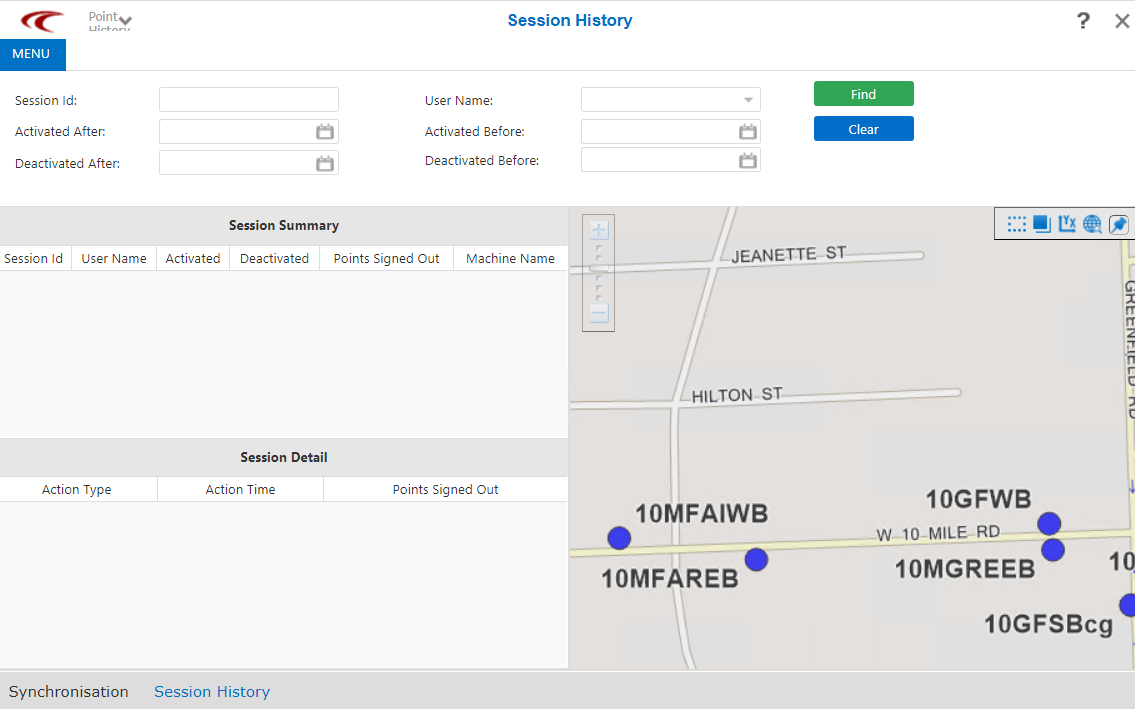
- In the Session Id field, enter an identifier for the session based on your site's naming convention.
- In the User Name drop-down list, select the user whose work you want to view.
-
Select the appropriate dates from the calendar in the following fields:
- Activated Before
- Activated After
- Deactivated Before
- Deactivated After
-
Click Find.
The search results appear in the Session Summary pane.
- Click the record you want to view.
The actions performed during the selected session are shown in the Session Detail pane.
If you select an action that entailed changes to a point, the map adjusts accordingly to illustrate the changes.