
Viewing Synchronization Information
The synchronization information provides the list of users who are working on Tablet mode. The users synchronize the data after making changes to it while working in the field.
-
After running a synchronization, click Session Info.
The Users Session Info dialog appears.
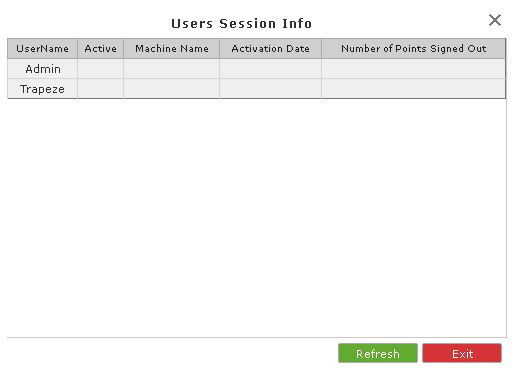 It shows the following data:
- UserName
-
Status - Whether active or not
- Machine Name
- Activation Date - Date and time when the session was completed
- Number of Points Signed Out
- Optional: To reload or update the data, click Refresh.
- To close the dialog, click Exit.