Place text in quotation marks for exact match search results.
Viewing Run Times in Run Times Tool
You can view run times of selected node to node pairs.
Click ToolsFX ToolsRun Times.
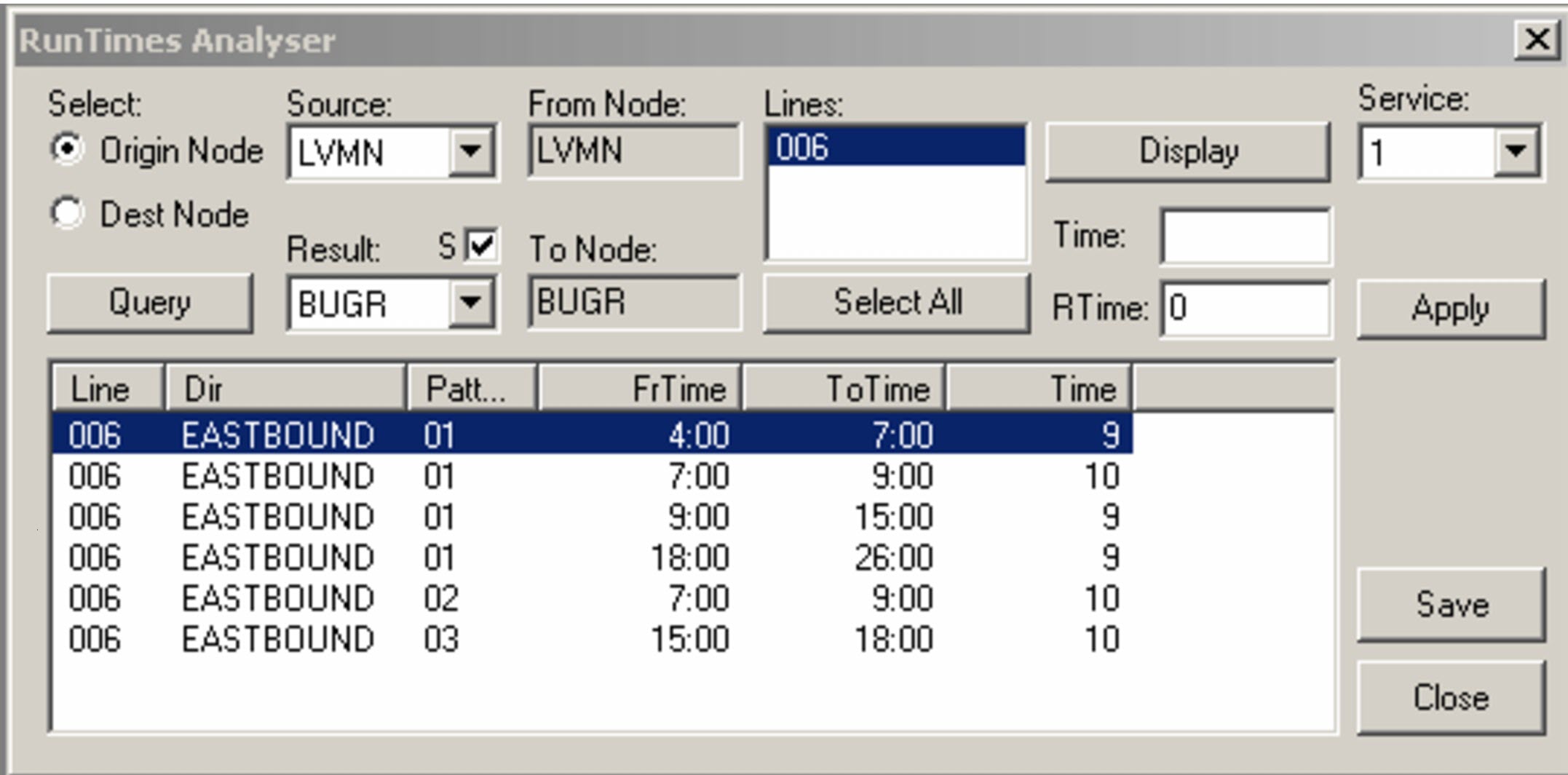
The Run Times Analyser dialog box appears.
In the Source field, type the first character of the
node you want.
The first node with a name that starts with that character appears in
the drop-down list.
Perform one of the following steps:
In the Source drop-down list, select the node you
want from the list and leave the Origin Node
selected.
Select Dest Node option, and in the
Source drop-down list, select the node you want.
The selected nodes are shown in the From Node and To Node fields,
respectively.
In the Result drop-down list, select the node to which
you want the run to end or start. Only the nodes associated with the selected
Source node are shown. The S check box is selected by
default.
To see more nodes and stops in the Result drop-down
list, clear the S check box.
Click Query.
The lines to which the nodes belong appear in the
Lines box.
Select the lines whose run times you want to view. To select all, click
Select All.
In the Service drop-down list, select the appropriate service. The first
service on the menu appears as the default.
Click Display.
The run times of the node to node pair (by line, direction and pattern
and time interval) are listed in the grid.