
Editing Reliefs
Reliefs are created through pattern creation in the Route Definition screen but can be edited in the Reliefs dialog.
- On the Nodes tab, select a node that has the reliefs you want to edit.
-
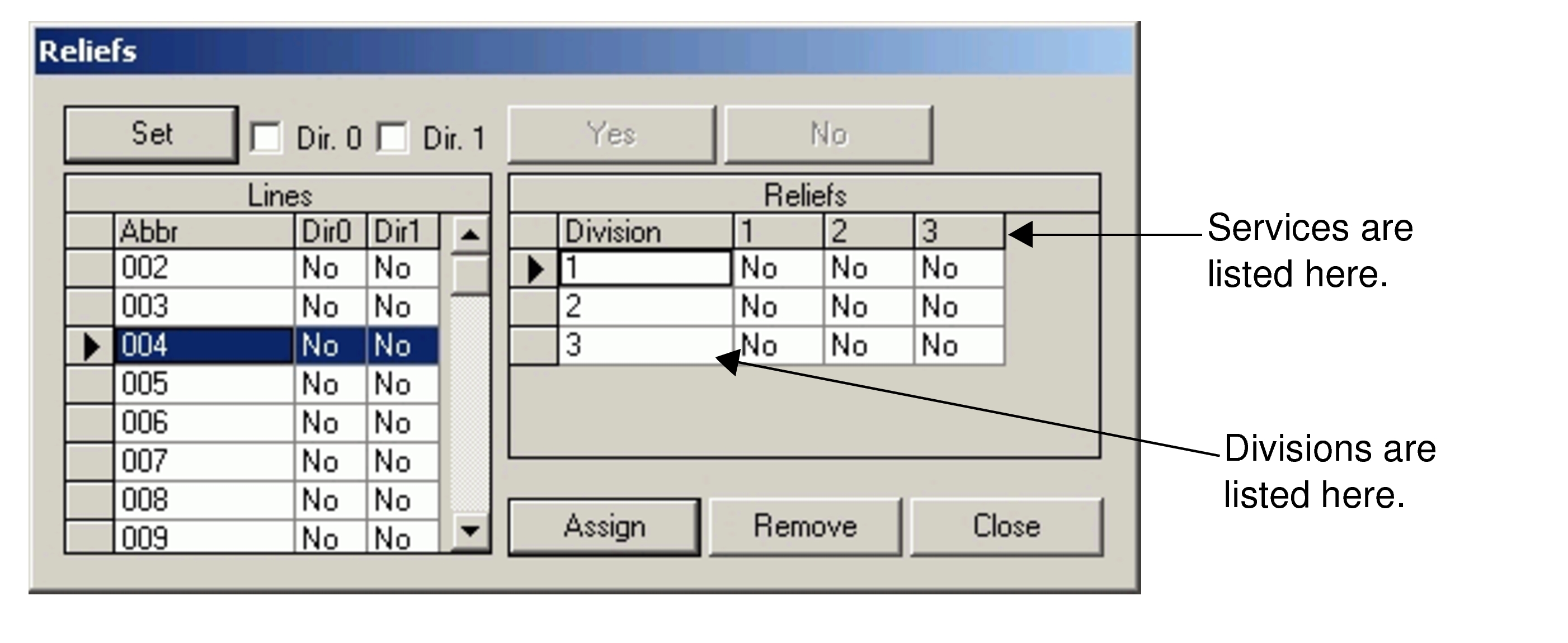
Click Reliefs. The Reliefs dialog opens.
-
Perform any of the following steps, as applicable:
- To change all lines for Dir 0 to a relief point at the node, click the Dir. 0 checkbox and click Set.
- To change all lines for Dir 1 to a relief point at the node, click the Dir. 1 checkbox and click Set.
- Click the Dir0 and/or the Dir1 fields beside each line for which you want to create a relief point at this node.
- To make a relief point per line per division per service (see the column headers in
the Reliefs frame), double-click a field that you want in the Reliefs
frame.
Alternatively, highlight the division you want to change and click Yes.
- Click Assign.
- Optional: To reverse the assignments you made, click Remove.
- Click Close.