
Blocking Trips Automatically
The automatic approach, links or hooks trips either by finding the most cost efficient combination of trips or finding the trips that follow each other in a consecutive manner.
The automatic approach is particularly useful when you need to comply with many transit site policies and union agreement requirements and only have limited resources. It helps you to explore possible trip combinations that enable you to maintain a satisfactory level of service.
-
Click .
The Blocking dialog box appears.
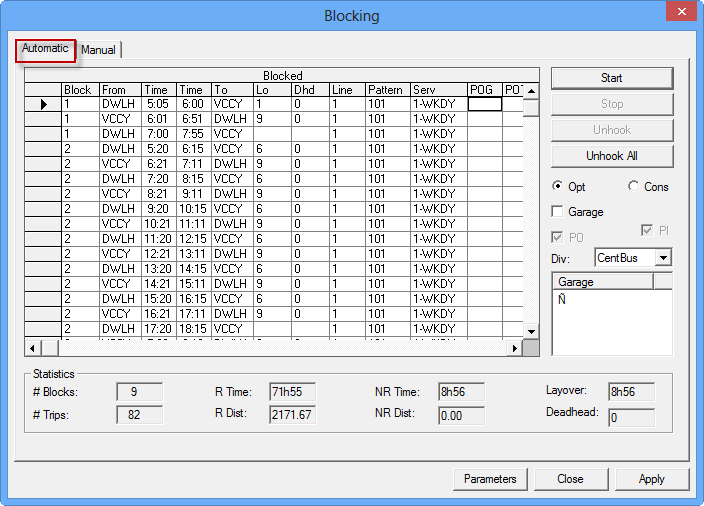
- Click Parameters to set the parameters for the blocks to be built. Otherwise, the parameters set as the default are used.
-
Depending on how you want the trips linked, select
one of the following options:
- Opt: If selected, the system searches for the most cost efficient combination of trips based on the parameters you set.
- Con: If selected, the system searches for the next available trip based on your layover and deadhead parameters.
- Optional:
To include garage deadheads in the costing solution, select the
Garage check box.
The applied block solution assigns the garages if deadheads are available.
- Select either the PO (Pull-out) or PI (Pull-in) check box or select both check boxes. Selecting both is recommended.
-
Click Start.
The blocked trips appear on the Blocked grid.
- To determine if the created blocks meet your requirements, review the blocks and the statistics in the Statistics frame.
- Optional:
To remove a trip from the Blocked grid, select it and click
Unhook.
- Optional:
If the blocks created do not meet your requirements, change the parameters and repeat
the process.
- Click Close.