
Building a Map File
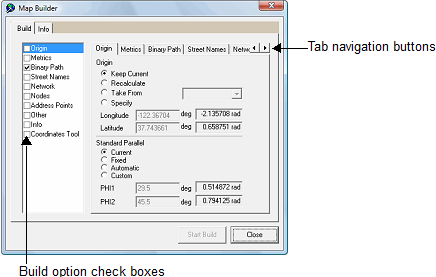
When building a map file, make sure that you select the appropriate options in the Map Builder dialog.
-
Click .
The Map Builder dialog appears.
-
Select the following check boxes on the left pane:
- Metrics
- Binary Path
- Street Names
- Network
- Nodes
- Other
If a tab does not appear in the dialog, click the navigation buttons to browse through the tabs:

-
When prompted to confirm the selected tasks to be performed, click
Yes.
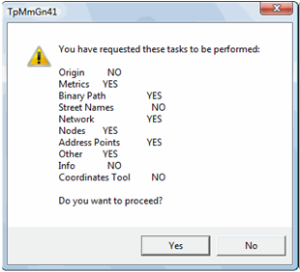 The Map Builder dialog shows the build progress.
When the build finishes, a confirmation message appears.