Trip Colors
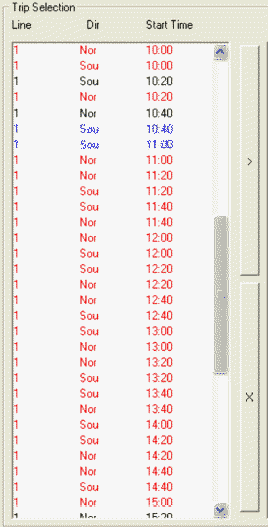
Trips shown on the left column of the Trip Selection pane may appear in any of the following colors to indicate different extraction/check statuses.
| Color | Description |
|---|---|
| Black | The trip has neither been extracted nor checked. |
| Red | The trip has been extracted one or more times but has never been checked. |
| Blue | The trip has been extracted one or more times and checked every time. |
| Magenta | The trip has been selected by a random process for extraction. |
These colors indicate the status of trips for the selected signup period in the context. If you specify a date range in the Criteria dialog box that is outside of the selected sign-up period, the colors reflect the status of the trips within that date range. The following graphic shows for sample trips in different colors.