
Comparing Check Modes

The Compare Check Modes feature is useful if you use both manually checked and automated APC data. It allows you to compare ridership check data gathered for the same trip through different methods such as APCs or survey sheets.

You can compare check data gathered through different methods.

  1. On the Ridership Analysis screen, click Ridership > Compare Check Modes.
    The Compare Check Modes dialog box appears.
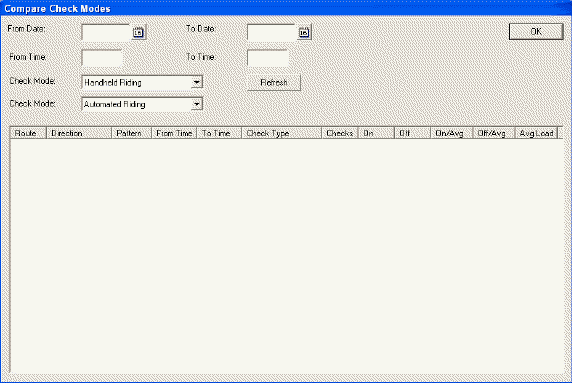
    Compare Check Modes dialog box
  2. In the From Date field, type or click the calendar button to select the start date of the date range you want.
  3. In the To Date field, type or click the calendar button to select the end date of the date range you want.
  4. In the From Time field, type the start time of the trip you want to check.
  5. In the To Time field, type the end time of the trips you want to check.
  6. In the first Check Mode drop-down list, select one of the following options:
    • Survey Sheet Riding
    • Handheld Riding
    • Automated Riding (This refers to data gathered by APCs.)
  7. From the second Check Mode drop-down list, select another mode to which you want to compare your first selection.
  8. Click Refresh.
    The results are shown in the grid.
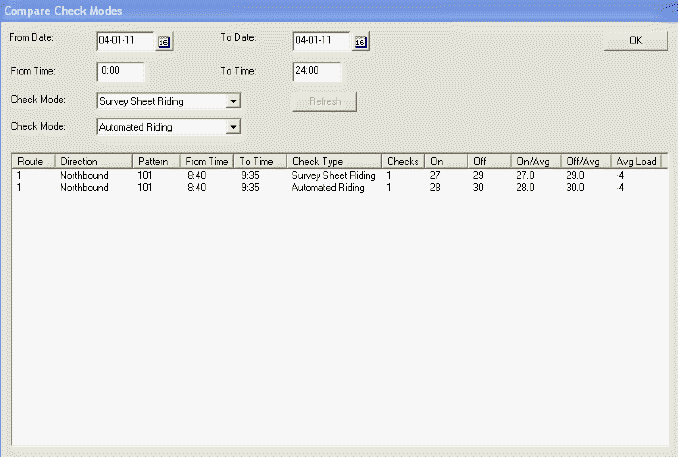
    Compare Check Modes dialog box

    If one of the selected methods has no record of trips within the specified date and time range, no results are displayed.

  9. Click OK.