
Place text in quotation marks for exact match search results.
Selecting Criteria for Ride Check Data
You can select the criteria for ride check data using the Ridership - On Time
Performance Criteria dialog box.
Click Ridership > Criteria.
The Ridership - On Time Performance Criteria dialog box
appears.
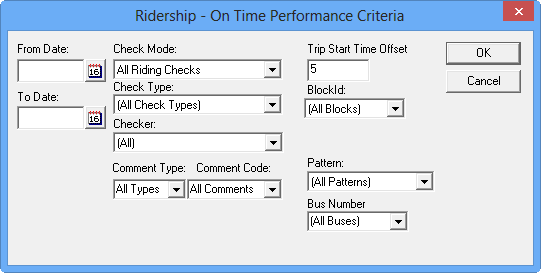
Set one or more of the criteria for the ride check data.
Click OK.
The Trips tab displays check data that matches the specified
criteria.
The system searches for check data that matches all the specified criteria.
If you choose to display check data recorded by John Doe on 03-31-18 for block 101 but
no matches are found, the screen displays trips for block 101 without check information even
if data is available from checkers other than John Doe during that time range.