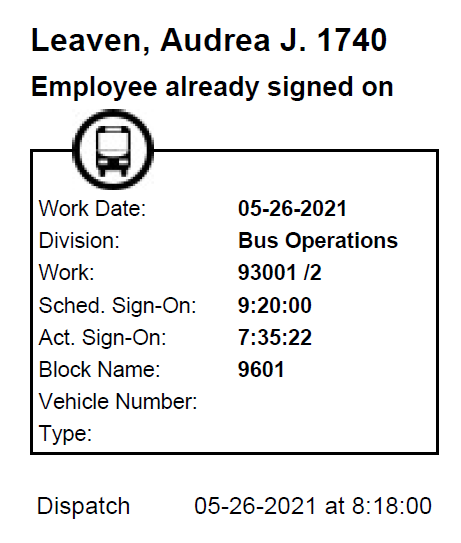
Report - SIT Receipt (HTML)
The Sign-In Terminal receipt is generated when employees signs in to or off of Sign-In Terminal. It can include information such as the work date, division, and vehicle number used by the employee.
| Implementation: | HTML report |
| Report File Name: | ..\Hw\Apps\FixedRoute\Operations\HTMLReport\SITReceipt.xsl |
| Secured: | No |
| Report Parameters: | Log in to or out of Sign-In Terminal to generate a copy of the
SIT report. A copy of the Sign-On receipt can be generated from the
Daily Activity screen. In the screen toolbar, select
Sign-On Activities:  . Select the Re-print Sign-On Receipt button: . Select the Re-print Sign-On Receipt button:
 To generate a copy of the Sign-Off receipt, use the Sign-Off Activities button. |