Viewing Sign-In Terminal Transactions
Dispatchers can view sign-in terminal activities using the OPS Sign-In/Off log screen.
-
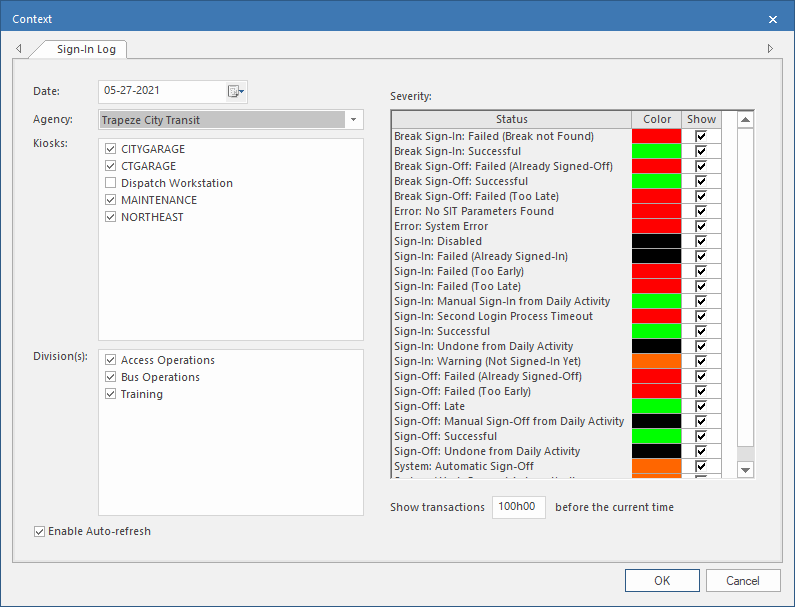
Set the Context (F3).
-
To reprint a receipt from the OPS Sign-In/Off Log screen,
select a record and then the Re-print Original
Receipt button:
 The visible information is defined in receipt parameters (in OPS Sign-In Terminal Parameters).
If the property is selected, a system administrator can check the OPSSITLog
table for all employee sign in and sign off attempts.
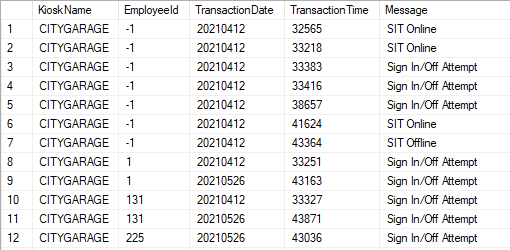
This table also logs all sign-in terminal status changes (when a sign-in terminal goes online or offline). When there is no employee associated with the record, -1 is used for the EmployeeId.
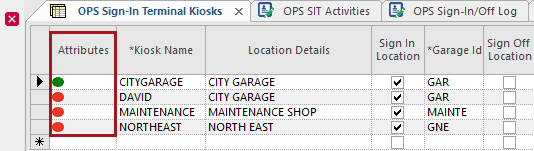
The current kiosk status can also be checked in OPS Sign-In Terminal
Kiosks ancillary data in the Attributes
column.