How to add new remarks to the list of remarks screen.
-
On the List of Remarks screen, click New Remark on the
Screen toolbar.
The
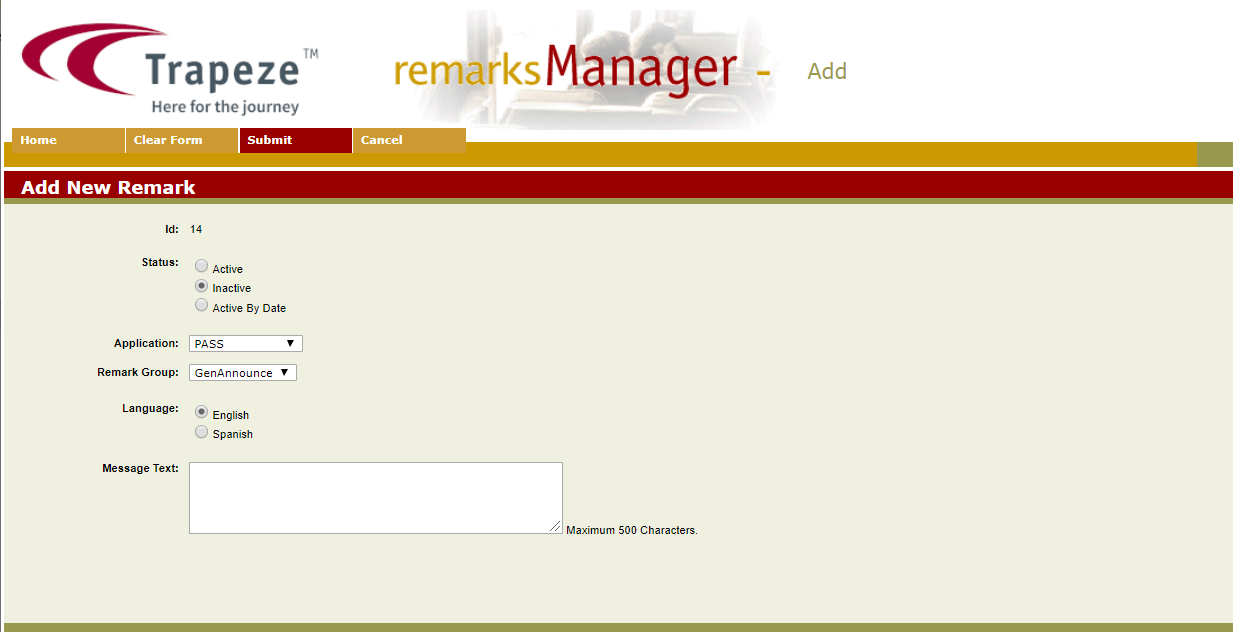
Add New Remark screen appears.
-
The next available ID is automatically shown in the ID field.
-
Select the appropriate options for the various fields: Status,
Application, Remark Group, and
Language.
-
In the Message Text field, type the remark in the selected
language.
-
Click Submit on the screen toolbar. An information page shows the details of the remark that you just created.
-
Click OK to go back to the Remarks Manager
screen.
