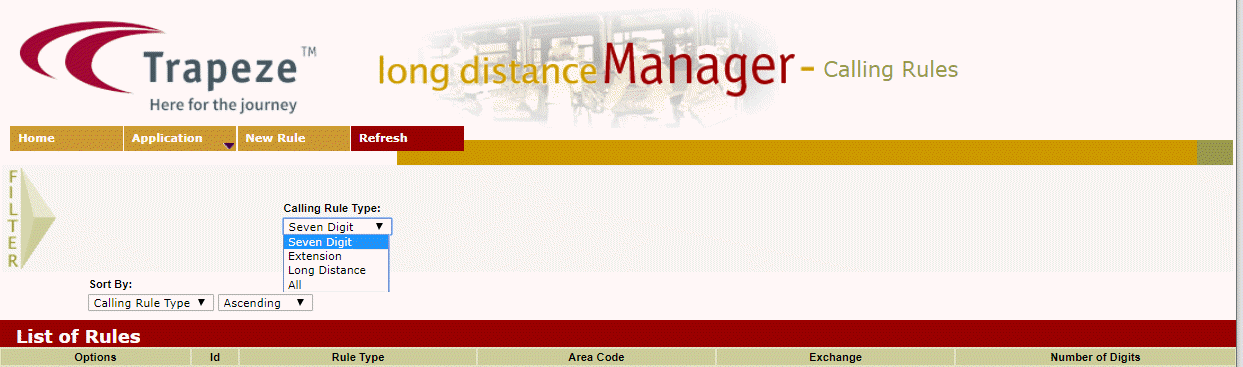
Displaying List of Rules
The Long Distance Manager creates and manages local and long distance calling rules. These rules are then used by the IVR system when determining what to dial when a specific area code and/or exchange are encountered during a notification call.
To access the Long Distance Manager, open a Web browser (for example, Internet Explorer) and enter the following address into the address bar.
http://server:port/hiwire?.a=aCallingRule
To display a list of calling rules:
- On the Filter pane of the Long Distance Manager screen, select the filter criteria you want to apply
- Click Refresh on the screen toolbar. The calling rules that match the given criteria are displayed in the grid.