
Selecting Input Fields for the COM Representative Screen
You can set the input fields for the COM Representative screen in the Customize dialog.
-
Do one of the following steps:
- On the main toolbar, click the Customize Grid button:
 .
. - Right-click anywhere on the screen. From the shortcut menu, choose Customize.
The Customize dialog appears.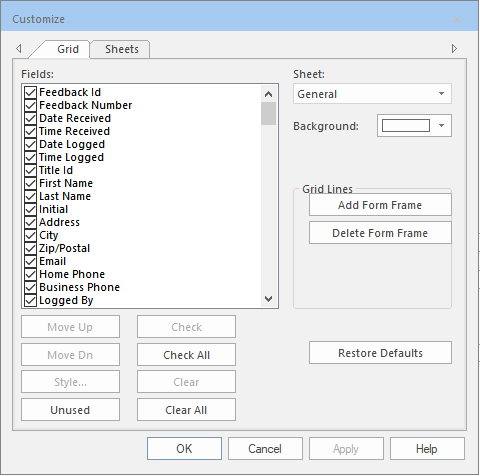
- On the main toolbar, click the Customize Grid button:
-
Scroll down the list to view all available fields. Selected fields are displayed in the
currently displayed sheet while those that have not been selected are hidden from
view.
Most of the fields in the COM Investigator screen are filled in from data entered in the COM Representative screen.