
Editing Messages
You can edit the messages that are on the Pending and Scheduled tabs on the Messages screen. If a scheduled message is about to be sent, you will not be able to edit it.
You can only view the messages on the Sent tab.
- Click the Pending or Scheduled tab.
-
Select and hold (or right-click) the message that you want to edit, and then
select Edit.
 The Edit xxx Message screen appears. The xxx may be Pending or Scheduled depending on which tab you selected the message.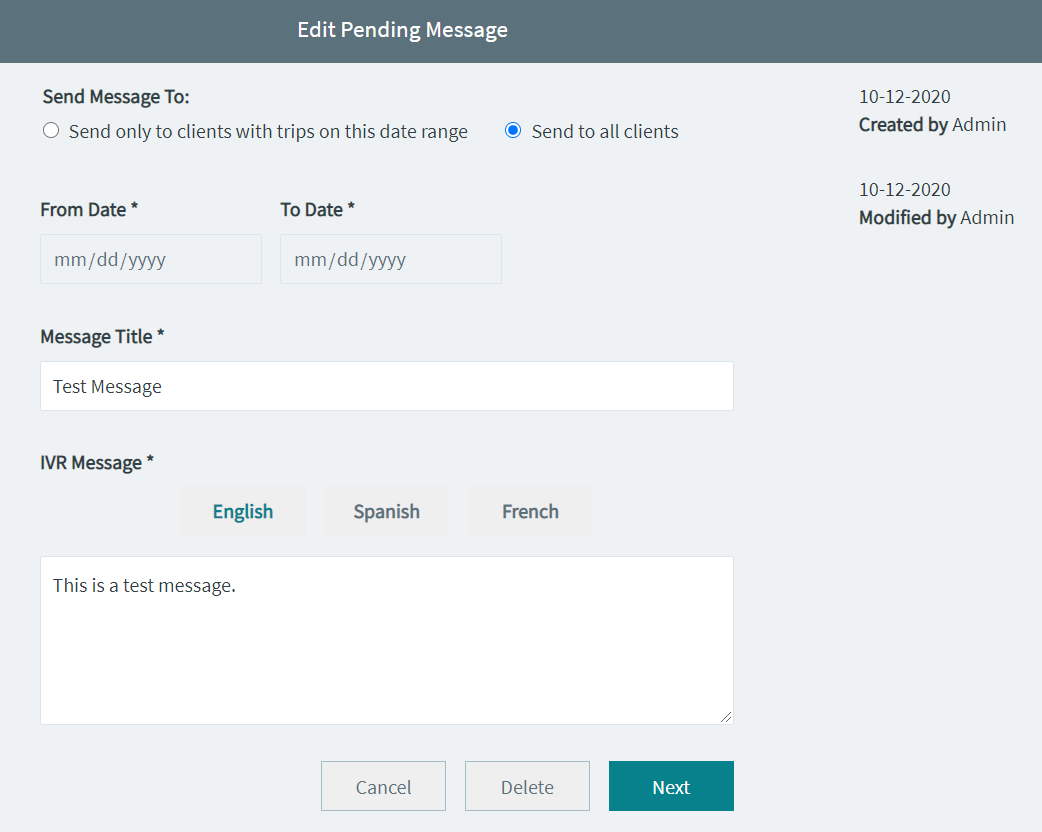
- Optional: Make the changes that you want on the message.
-
Click Next.
The Review Message screen appears.
-
Click the appropriate option that you want to apply:
- Delete
- Schedule
- Send Now