
Setting Trip Plan Analyzer Properties
Configure user-defined properties to make some Trip Plan Analyzer features available in the Trapeze4 Workstation.
Before you begin
Additional security settings are required for this feature to function correctly.
About this task
These properties must both be set to Yes if the Max OBT (maximum on-board time) should be set for the booking based on the fixed route travel time.
Procedure
- In the Trapeze4 Workstation, click .
- Click .
-
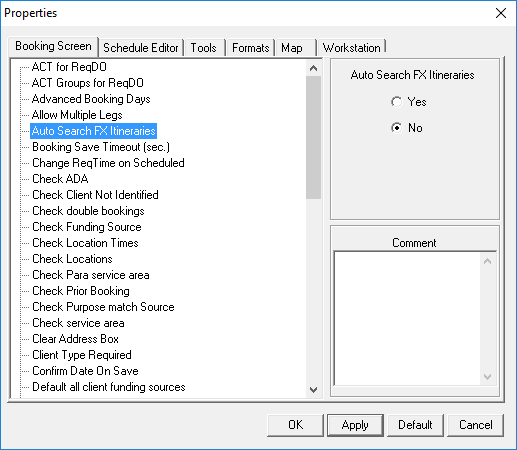
On the Booking Screen tab, click Auto Search FX
Itineraries.
-
Select Yes.
Yes forces a fixed route itinerary search to run automatically when a trip booking is saved. An automatic search facilitates a comparison of fixed route service data with trip booking requests.
- Click Apply.
- On the same tab, click Trip Plan Analyzer.
-
Select Yes.
Yes allows trip bookings to load in the Trip Plan Analyzer Wizard.
- Click Apply.
- Click OK.