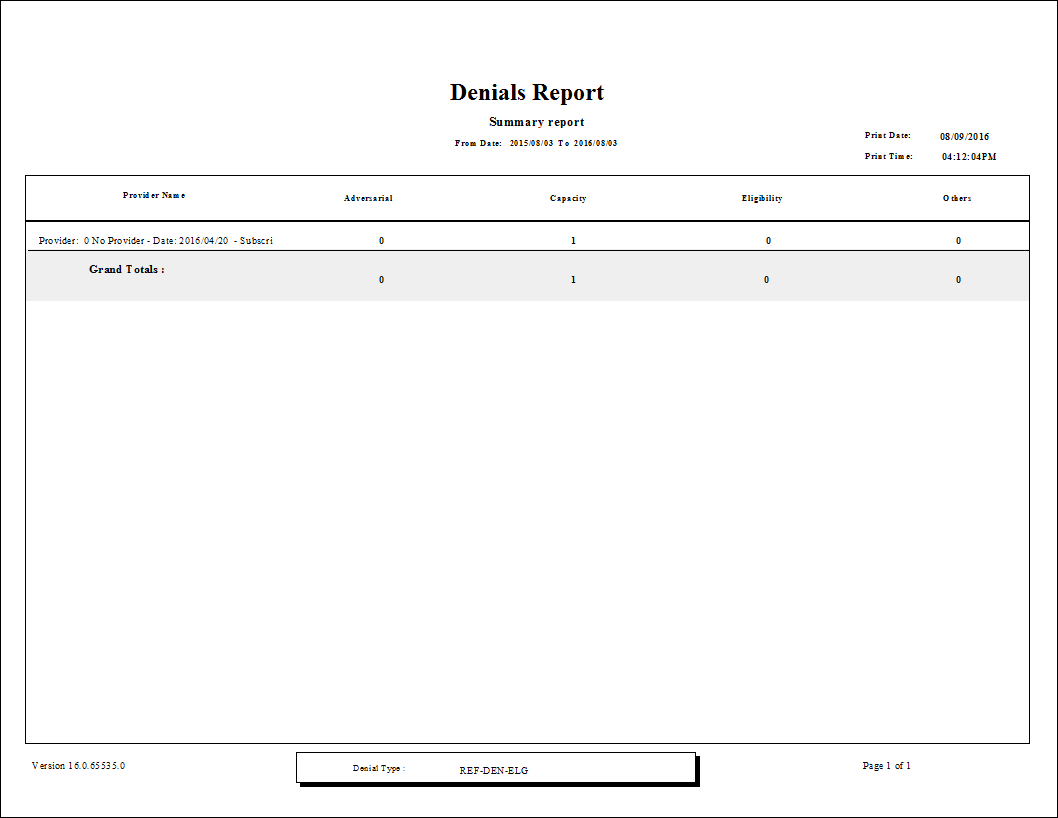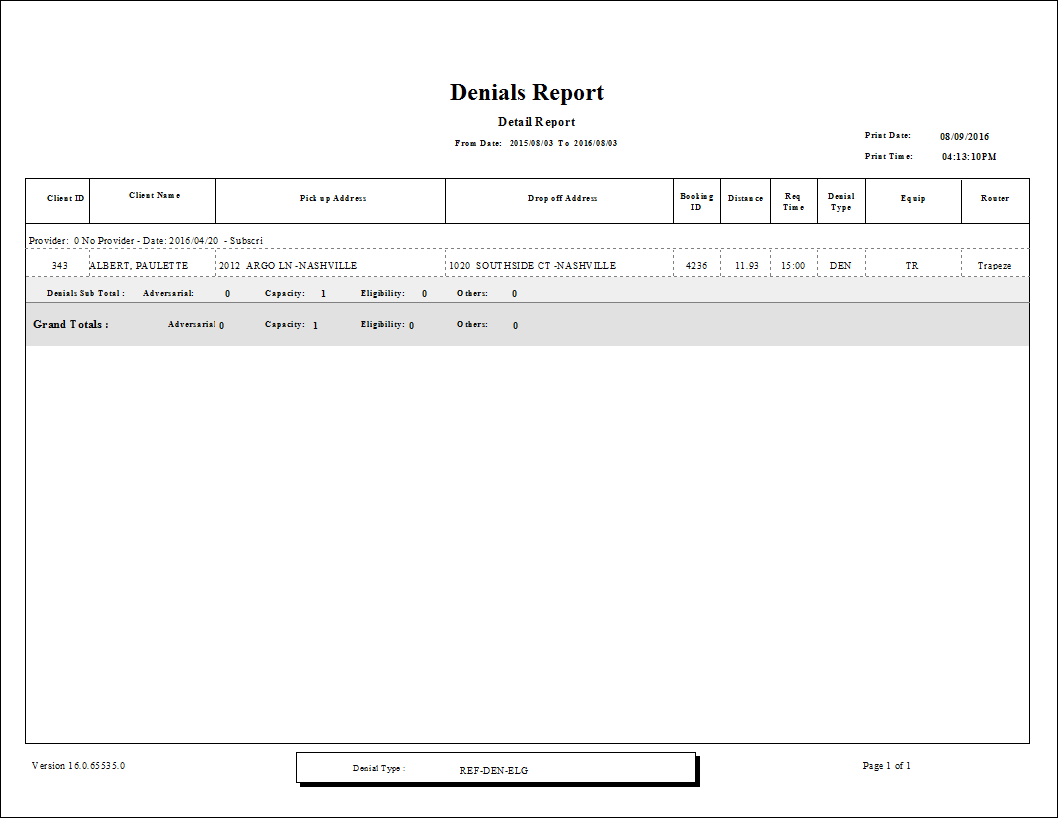
Denials Report
The Denials report shows denials for a specified date range. The report can show detailed information, including the pick-up and drop-off address, the time requested, and the distance of each trip.
| Parameter | Description |
|---|---|
| From Date | First date of records in the report. |
| To Date | Last date of records in the report. |
| Adversarial Denial | Booking subtype used for adversarial denials. |
| Capacity Denial | Booking sybtype used for capacity denials. |
| Eligibility Denial | Booking subtype used for eligibility denials. |
| Other Denial | Booking subtype used for other denials. |
| Show SchTime | If selected, scheduled times are included. |
| Group by | Specifies whether to group data by provider or by client name. |
| Show Details | If selected, the report shows trip details. If cleared, the report shows summary information only. |
| Providers | If All is selected, records for all providers appear in the report. If All is cleared, select individual providers from the list. The options available to you depend on provider security. |
| Funding Sources | If All is selected, the report includes data for all funding sources. If All is cleared, select funding sources from the list. |
| Ada Codes | If All is selected, records for all ADA codes appear in the report. Clear All to select specific ADA codes from the list. |