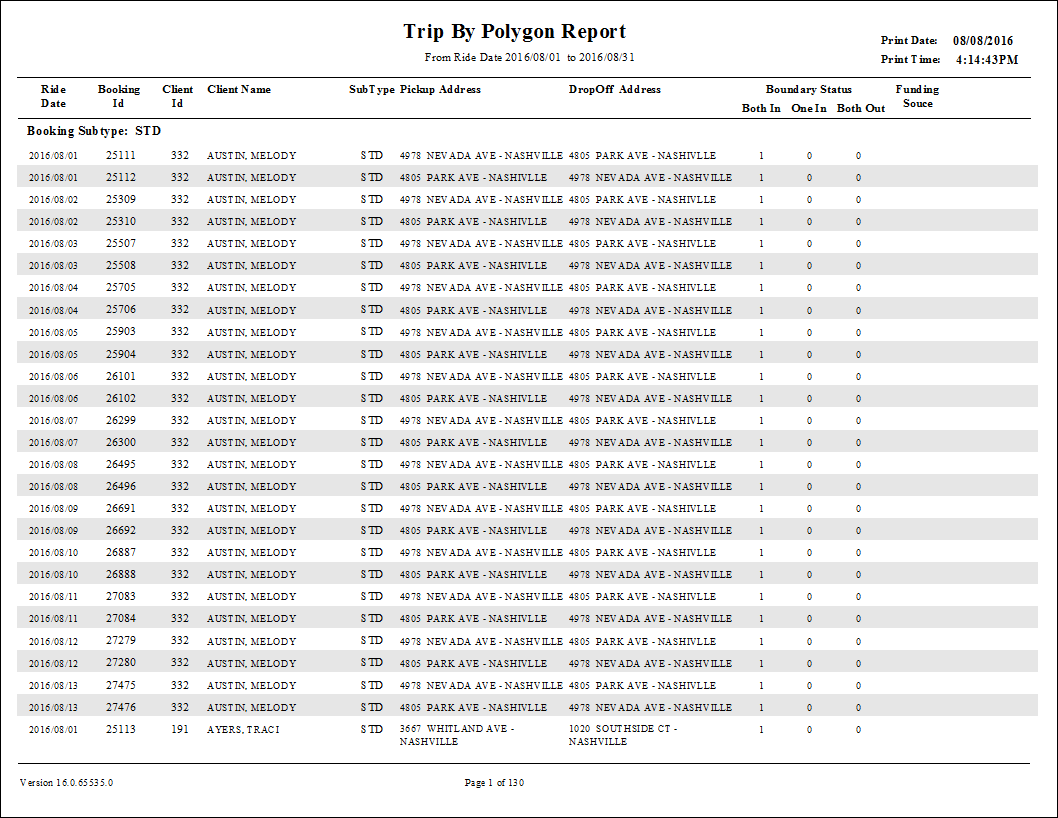
Trip Report by Polygon Report
The Trip Report by Polygon shows trips that begin and/or end in specific polygons. The report may be further filtered by funding source, subtype, or schedule status.
| Parameter | Description |
|---|---|
| Type | Schedule type. |
| D/W |
Specifies whether the report is for specific dates or days of the week. Choose the
option appropriate for the schedule type:
|
| Booking Subtype | If All is selected, trips with all booking subtypes appear in the report. If All is not selected, select booking subtypes for the report from the list. |
| Funding Sources | If All is selected, the report includes data for all funding sources. If All is cleared, select funding sources from the list. |
| Providers | If All is selected, records for all providers appear in the report. If All is cleared, select individual providers from the list. The options available to you depend on provider security. |
| Group by | Specifies the method of grouping trips: by Booking Subtype, Ride Date, Pick Up Polgon, or Drop Off Polygon. |
| Polygon | From the Poly Type drop-down list, choose the polygon type with trips to include
in the report. If All is selected, the report includes trips that begin or end in all polygons of that type. If All is cleared, choose specific polygons from the list. |
| Show Trip Details | If selected, trip details are included. |
| Include Trip Type |
Trip types to be included:
|