
Editing Sign-up Periods
You can edit sign-up periods in the Sign-up Periods dialog box.
Procedure
- In the Sign-up Periods dialog box, select the period desired.
-
Click Edit.
The Edit dialog box opens:
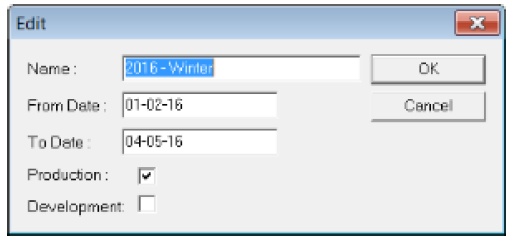
- Change the sign-up name or date ranges. If you edit your date ranges, note that the changes could affect your Exception Calendar, if you use exceptions.
- Click OK.
- In the Sign-up Periods dialog box, click Close.