
Batch Scheduling Bookings on a Live Schedule
This method allows you to batch schedule all your trips (activated subscription and casual) occurring on a live schedule.
Before you begin
About this task
- The volume of subscription trips at your site is not high enough to justify the use of templates.
- You want to schedule unscheduled casual trips that remain after you have already batch scheduled using template matching.
- The site’s volume of service is reduced. For example, holidays.
Procedure
-
Select a schedule using the Select Schedule dialog box:
- Select the Schedule check box.
- Click the ellipsis button (…).
- In the Schedule list, click LIVE.
- In the Schedule list, select a date.
- Click OK.
- In Trip Administration, select the Act, Cas, Sch, Unsch, and Both filters to show the activated subscription and casual trips.
- Click Display.
- Click on the upper left corner of the grid to highlight all the trips in the grid.
-
Right-click and click Batch.
The Batch Parameters dialog box appears.
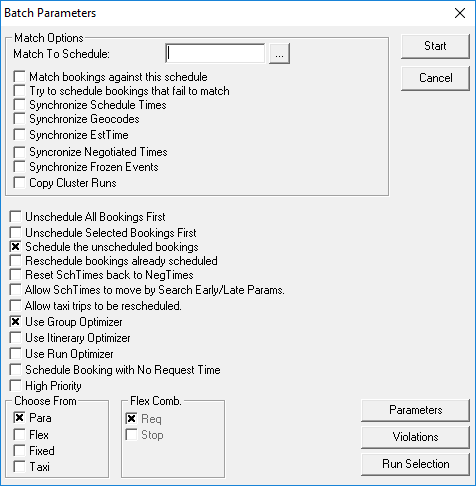
- In the Choose From frame, select Para (and Taxi if you schedule taxi runs), and then select the scheduling check box parameters you want.
- Optional:
Specify additional scheduling parameters:
-
Click Start.
The Batch Monitor dialog box shows the scheduling progress.
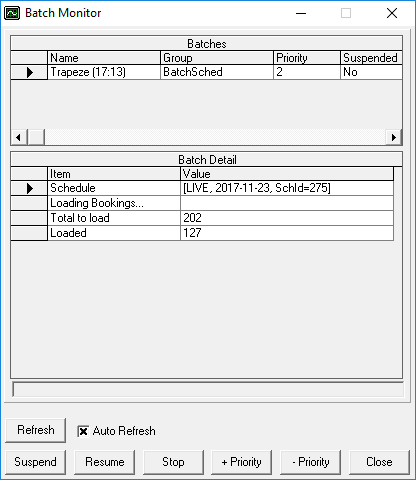
- Once the batch scheduling process is complete, click Close.
-
In Trip Administration, click Display.
Scheduled and unscheduled activated trips appear.