
About Viewing Unscheduled Trips in Dispatch Center
The Unscheduled Trips grid shows unscheduled trips in chronological order of request time.
By default, No Filter is selected to show all unscheduled trips for
the selected schedule in this grid.
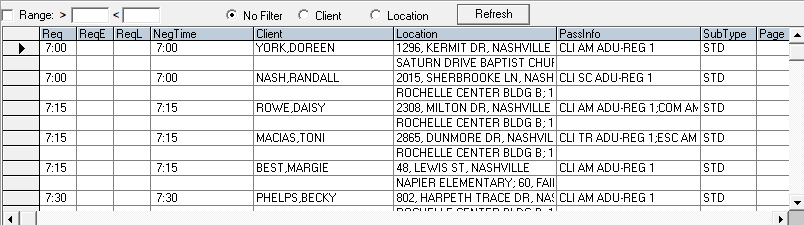
You can narrow the list of unscheduled trips by using the filters to select trips within a time range, for a specific client, or for a specific address.
You can narrow the list of unscheduled trips by using the filters to select trips within a time range, for a specific client, or for a specific address.
You can schedule one booking at a time using the Schedule Booking Wizard in the Dispatch Center. Alternatively, you can look at the Unscheduled Trips view in Schedule Editor to schedule multiple trips at once.