
Importing Map Data
You can import the different types of map data supported by BSM.
- Open Street Map
- Malteze (T4) - If your site uses Trapeze4, use this option to import map data from the Trapeze4 database.
- ESRI (.shp)
-
Click Map Configuration in the GIS
list.
The Map Configuration screen appears.
- In the Import From list, click the map data you want.
-
Click Import .
The contents of the screen changes. The following sample graphic shows the contents of the screen when you select Open Street Map files. (Different fields are shown for each map file type.)
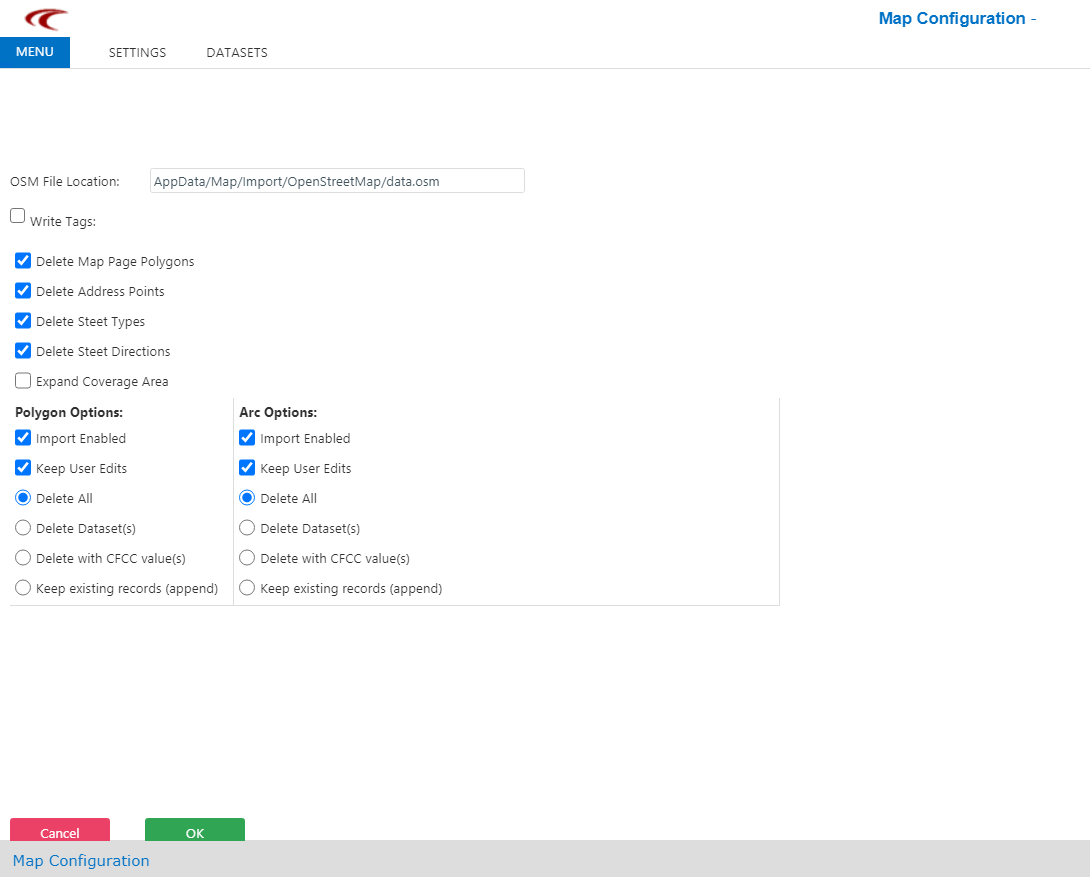
- Fill in the appropriate fields and select the options that you want to apply to filter the data.
-
Click OK.
The file is saved as a zip file in your specified download folder.